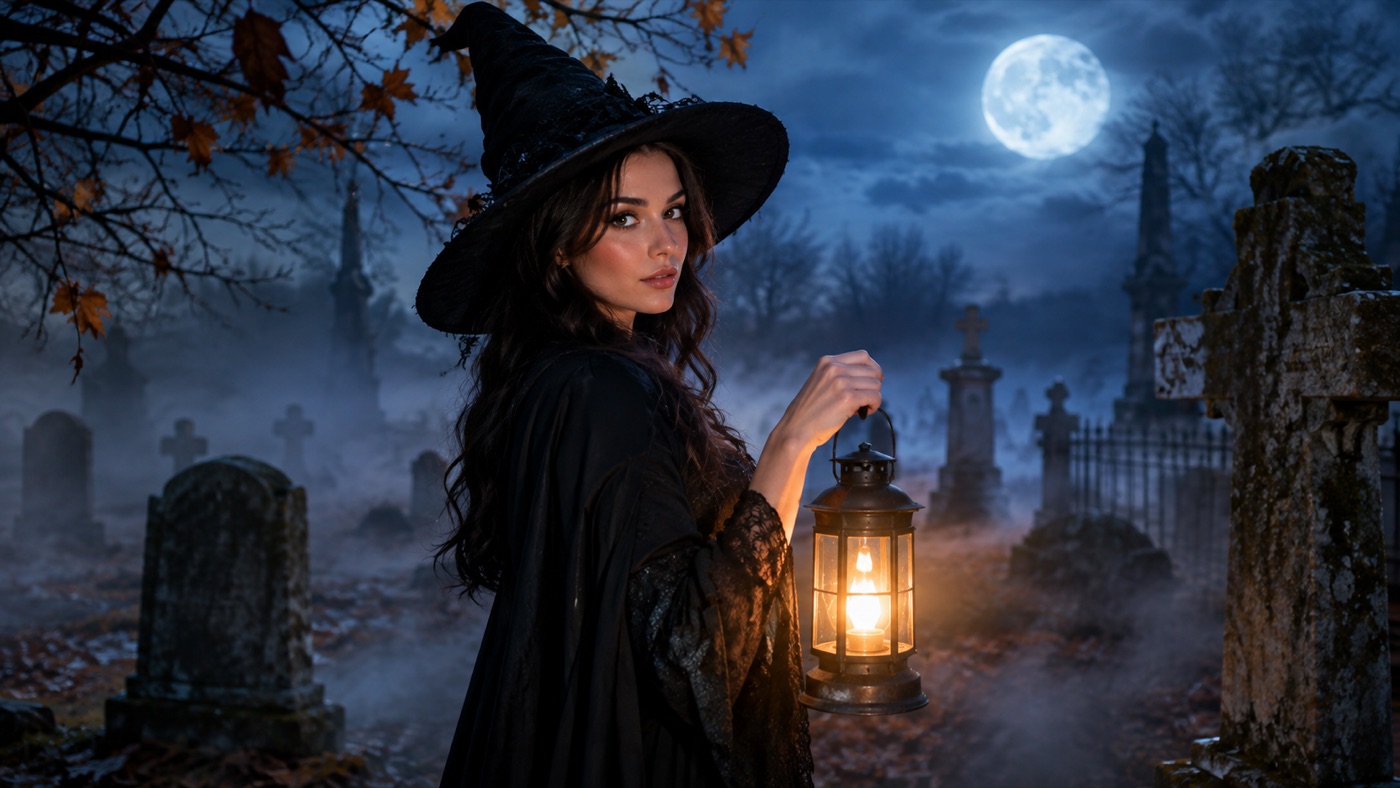
并非每张万圣节照片都需要服装。有时照片本身已经很好:表情到位、光线柔和、构图合适。缺的只是氛围。一张普通的肖像,当光线改变、背景改变、色调改变时,就会变成万圣节图像——同时不会把人物变成另一个人。
万圣节 AI 照片编辑器就是为此而生的工具。它不同于服装生成器。服装生成器会替换服装和发型。照片编辑器则保留人物和衣着,然后改变周围场景:雾气、实用光源、石墙、秋枝,以及一种电影剧照般的调色。
万圣节氛围是一小组视觉信号。你不需要血、怪物或全套服装来传达它。
- 方向性光线。 一盏温暖的灯笼对着冷蓝色的夜晚,立刻就有万圣节的感觉。平淡的影棚光则不会。
- 低雾。 雾将主体与背景分开,并隐藏替换后可能显得虚假的边缘。
- 冷暖色调。 蓝色阴影和琥珀色高光是经典的恐怖电影对比。
- 质感。 干叶、风化的石头、旧木头和轻微的胶片颗粒让场景感觉是拍摄出来的,而不是渲染的。
- 可信的阴影。 主体需要投射与新的光源相匹配的阴影。
下面画廊中的提示词就是围绕这五个信号编写的。它们保持主体和衣着不变,只改变氛围。
现在就能生成的招牌造型
选一个造型,复制完整提示词,或直接送进生成器。提示词按“保持人物身份”来写,生成结果仍然像照片里的人或宠物。
会带着这段提示词打开生成器。你需要登录;图片生成 5 积分起。
 图片编辑
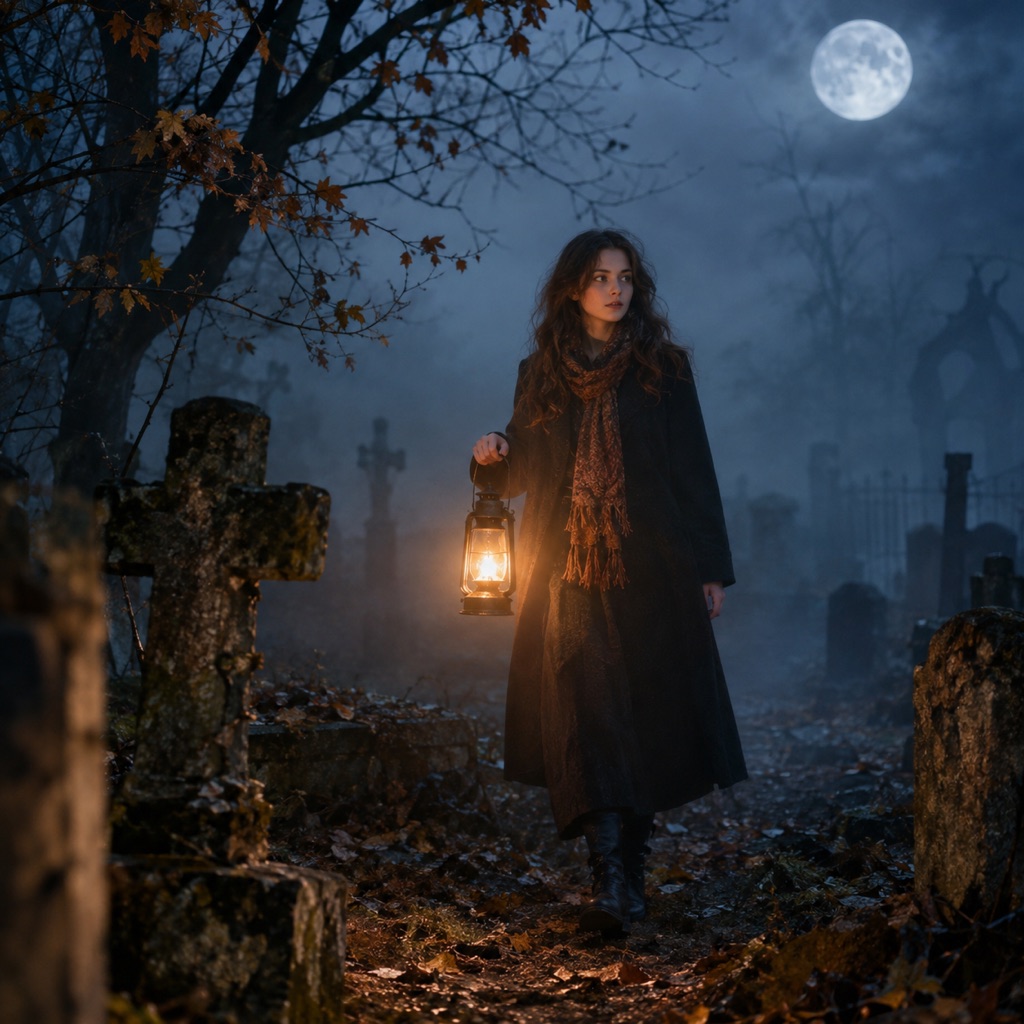
图片编辑Foggy Graveyard
Lift a plain portrait into a foggy cinematic scene.
提示词
Use the uploaded photo as the primary reference. Keep the subject exactly as photographed and relight the portrait as a cinematic Halloween scene. Preserve the subject’s recognizable facial identity, facial proportions, skin tone, approximate age, and natural anatomy. Keep the same number of people as the source photo. Avoid altered identity, extra limbs, duplicated fingers, distorted anatomy, text, logos, and watermarks. Add drifting low fog, weathered stone markers, bare autumn branches, and a warm handheld lantern glow. Keep the clothing unchanged and the face fully visible. Use a cold blue night sky with warm lantern accents, shallow depth of field, and realistic atmospheric haze. Use photorealistic editorial photography with realistic textures, natural skin detail, and cinematic lighting.
 图片编辑
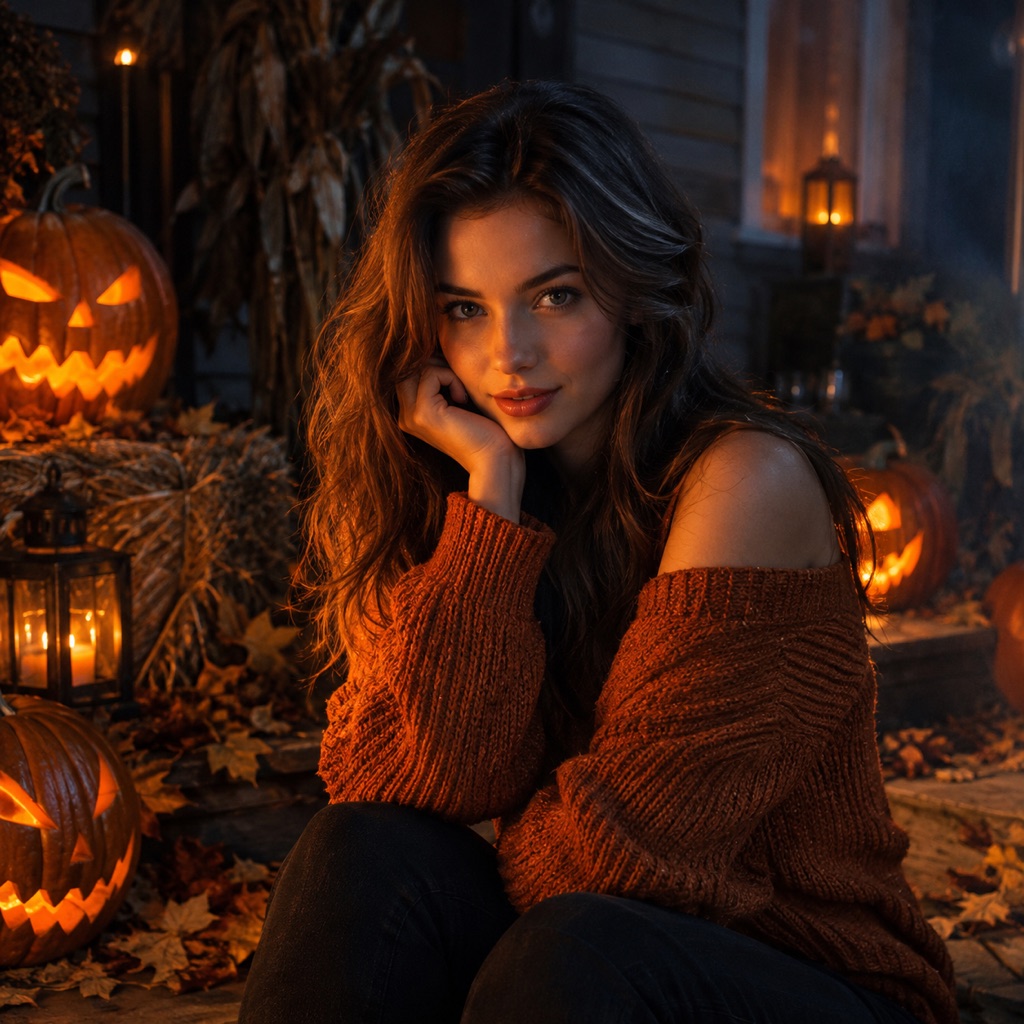
图片编辑Pumpkin Relight
Warm pumpkin light without changing the face.
提示词
Use the uploaded photo as the primary reference. Keep the subject and outfit unchanged and relight the photo with carved pumpkin light. Preserve the subject’s recognizable facial identity, facial proportions, skin tone, approximate age, and natural anatomy. Keep the same number of people as the source photo. Avoid altered identity, extra limbs, duplicated fingers, distorted anatomy, text, logos, and watermarks. Place carved pumpkins around the subject and let warm orange light flicker across one side of the face. Keep the other side in soft cool shadow. Use a dark autumn porch with hay bales, dried leaves, and a subtle haze. The result should look like a real photograph, not a cartoon. Use photorealistic editorial photography with realistic textures, natural skin detail, and cinematic lighting.
 图片编辑
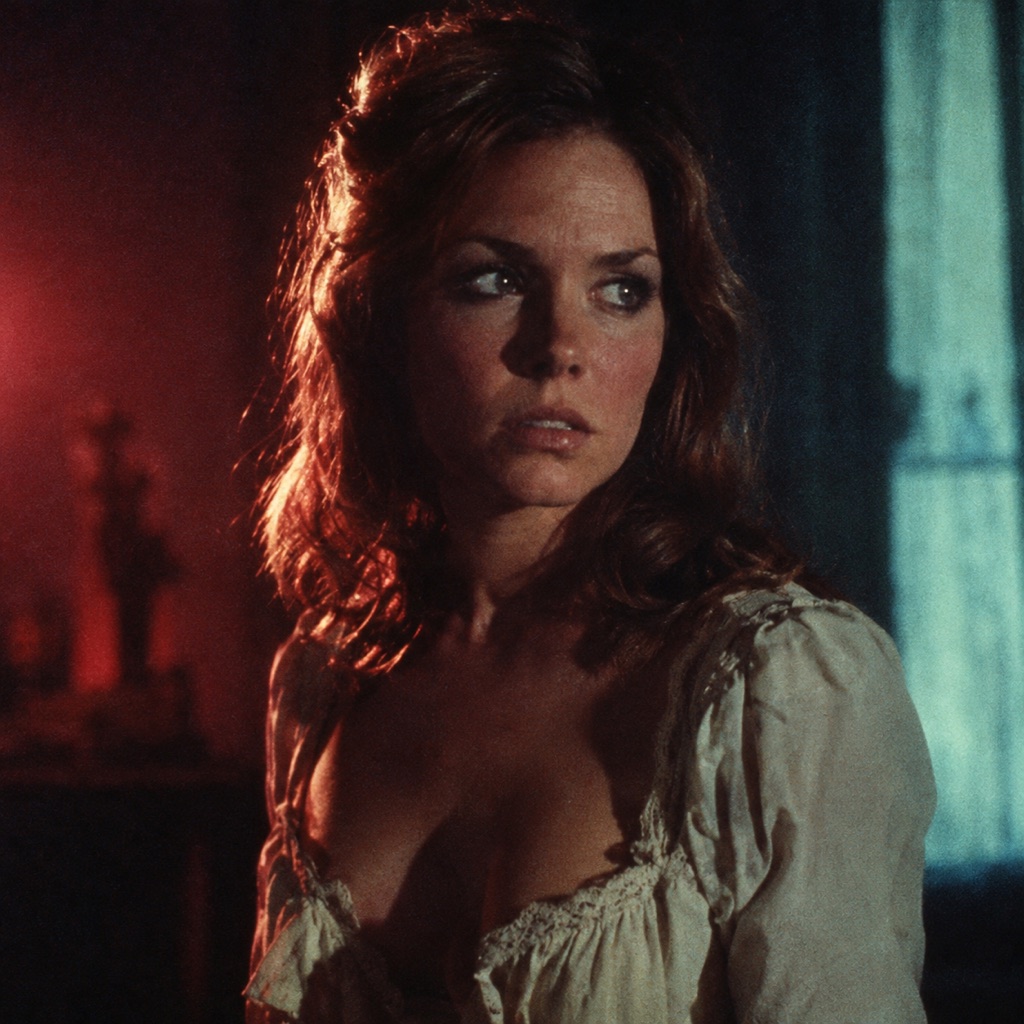
图片编辑Vintage Horror Film
A 1970s horror poster grade, minus the grain mush.
提示词
Use the uploaded photo as the primary reference. Regrade the uploaded portrait as a restored 1970s horror film still. Preserve the subject’s recognizable facial identity, facial proportions, skin tone, approximate age, and natural anatomy. Keep the same number of people as the source photo. Avoid altered identity, extra limbs, duplicated fingers, distorted anatomy, text, logos, and watermarks. Use deep shadows, muted crimson and teal tones, soft halation around highlights, and a subtle film grain that keeps facial detail sharp. Do not add a poster title or any text. Keep the original pose and clothing. The final image should feel like a frame from a remastered genre film. Use photorealistic editorial photography with realistic textures, natural skin detail, and cinematic lighting.
清晰、光线均匀的肖像是最好的起点。已有强烈阴影的照片也可以,但新光线必须与它们一致。如果原始照片经过重度滤镜处理,模型可用的真实皮肤纹理较少,结果可能看起来像塑料。
对于完整的场景变化,半身或四分之三身照片能给模型足够的背景来替换。紧凑的面部裁剪会限制场景,因此请选择肖像风格的调色。
先写下保留规则。至少包括:面部、肤色、身体比例、衣着、姿势和人数。如果照片有可识别的发型,也要包括。如果衣着很重要,请明确说明。模型会改变任何你留下模糊的地方。
光线是让编辑成功的关键。“雾气弥漫的墓地”是一个地点。“左下方温暖的灯笼光,背后冷蓝色的月光,柔和的雾捕捉光线”才是一张照片。描述光线来自哪里、是什么颜色、对脸部有什么影响。
当皮肤仍然看起来像皮肤时,复古恐怖调色才有效。要求深阴影、柔和的深红和青色、柔和的光晕,以及保持面部细节清晰的细微颗粒。避免“重度颗粒”或“极端对比”,除非你想让脸消失。
放大眼睛、发际线、手和衣着边缘。如果背景替换吃掉了部分肩膀或增加了第二个阴影,请用更简单的场景重新生成。一个干净、单一光源的肖像通常胜过有五个物体的繁忙场景。
Foggy Graveyard 是最安全的场景替换。雾完成了大部分工作:它隐藏背景过渡、增加深度,并给温暖的灯笼提供可照亮的东西。它几乎适用于任何半身肖像。
Pumpkin Relight 是光线编辑而非地点编辑。主体周围的雕刻南瓜提供有动机的暖光源。另一侧的冷阴影防止脸部变成橙色。当你想要万圣节图像但仍需要人物看起来自然时,这是一个好选择。
Vintage Horror Film 是最风格化的选项。它改变调色而非场景,因此保留原始构图。当照片已有强烈的姿势或表情,而你只想改变情绪时使用它。
对任何肖像使用此结构:
保持主体与照片完全一致。保留面部身份、肤色、身体比例、衣着、姿势和人数。用[光源和方向]重新照亮肖像。在可信的距离添加[场景元素]。使用[调色板]、[对比度]和[胶片或摄影风格]。保持面部完全可见。避免改变身份、多余肢体、扭曲的手、文字、标志和水印。
这个模板故意重复。重复是防止生成式编辑漂移的方法。
静态图像足以用于帖子、个人资料照片或派对邀请。如果你想要动态,请将编辑后的肖像动画化,而不是从文本提示开始。缓慢的转头、飘动的雾或闪烁的灯笼能给图像第二次生命,而不改变面部。万圣节 AI 视频生成器就是为此衔接而构建的。
如果你想要全套服装而不是氛围编辑,请从 AI 万圣节服装生成器开始。如果你想要可以粘贴到其他工具中的提示词,万圣节 AI 提示词页面有一套可直接复制的提示词,适用于自拍、宠物和情侣。
编辑器与网站其他部分运行在同一个托管图像工作区。每次生成使用积分,当前套餐列在定价页面上。万圣节没有单独的订阅。
结果取决于源照片、所选模型和提示词。模型无法恢复原始图像中不存在的细节。如果源图模糊,编辑结果也会柔和。如果源图有强滤镜,皮肤纹理可能看起来不自然。从你最好的照片开始,保持提示词具体,并在发布前以完整尺寸判断结果。
可以。你可以使用文本到图像提示词从头创建场景,或编辑不显示面部的照片。只有当你希望特定人物保持可识别时,才需要身份保留提示词。
只有你要求时才会。本页的提示词明确保留衣着。如果你想更换服装,请使用服装生成器或在提示词中添加服装指令。
可以。雾是最容易的编辑之一,因为它柔和且具有氛围感。描述雾的位置、厚度以及光线如何穿过它。
可以。要求一张修复的 1970 年代恐怖电影剧照,具有深阴影、柔和的深红和青色、柔和的光晕和细微颗粒。保留“保持面部细节”的指令,以免调色破坏面部。
是的,如果照片清晰且光线合理。手机肖像通常足够好。避免截图、重度美颜滤镜以及面部小于缩略图的照片。
这取决于你的套餐、模型或提供商条款、你对源照片的权利以及当地法律。在发布前请查看服务条款和当前套餐条款。
打开 AI 图像生成器,选择照片编辑模式,然后从 Foggy Graveyard 提示词开始。一个强光源和一个场景元素通常就足够了。
