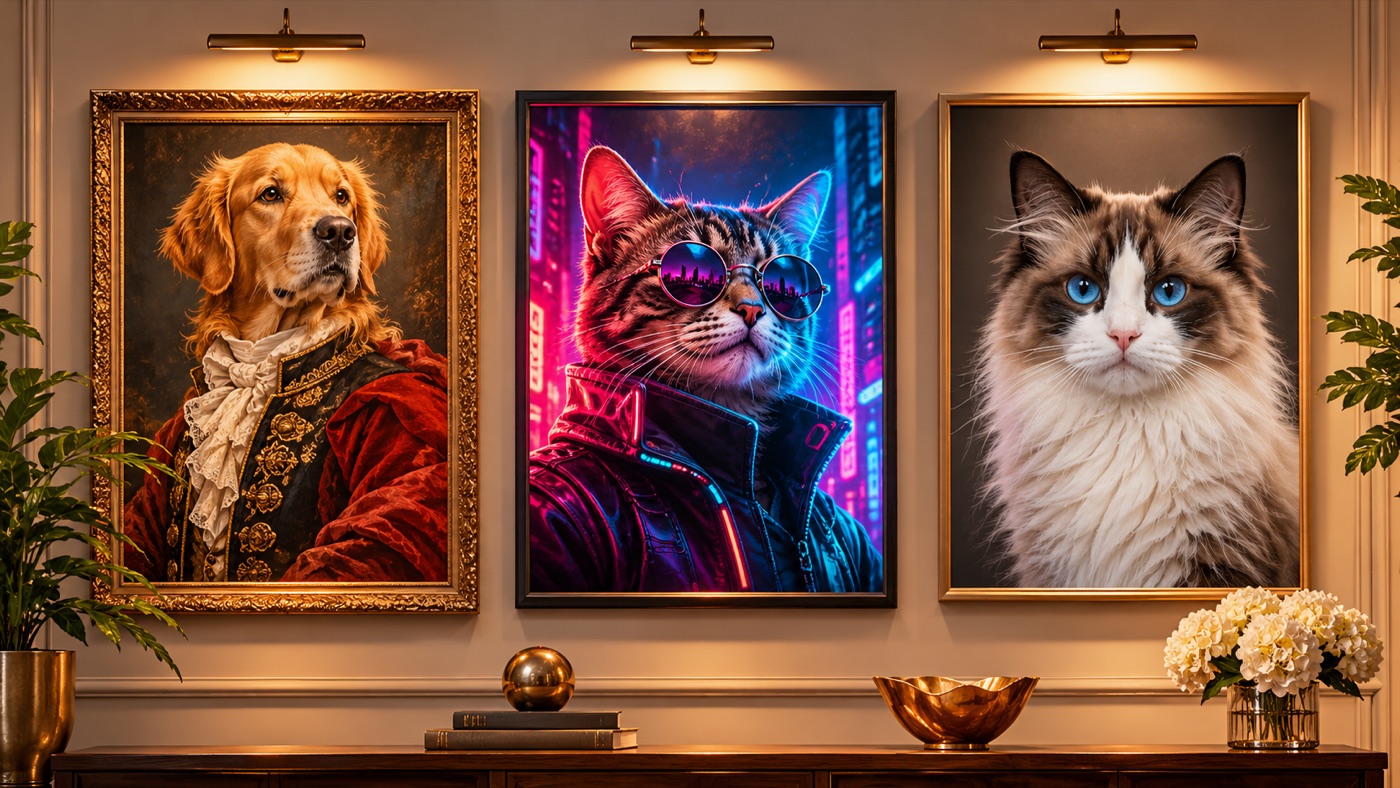
A pet portrait is a small luxury with a simple emotional job: make the animal look as important as they feel to you. The best versions are not cartoons. They keep the face, the markings, and the expression, and they change the style around the animal.
An AI pet portrait generator is good at that job when the prompt treats the pet as the subject and the style as the frame. A royal oil painting, a cyberpunk alley, and a clean studio headshot are three different frames around the same animal. The pet should still be recognizable in all three.
The difference between a portrait and a generic AI animal is identity. Four things carry it:
The face. Eye color, eye shape, nose, muzzle, and expression. If the face changes, the portrait is no longer your pet.
The markings. Spots, stripes, patches, a white chest, a dark mask, a crooked ear. These are the details people recognize instantly.
The fur. Length, texture, and color gradient. A short-haired cat should not become fluffy, and a wiry coat should not become plush.
The anatomy. Ear shape, paw shape, tail, and body proportions. A portrait can be stylized, but it should not turn the animal into a different species.
The prompts on this page put those preservation rules first, then describe the style.
Royal Oil Portrait is the classic gift style. A deep velvet collar, a dark background, soft chiaroscuro, and visible brushwork. The trick is to keep the fur realistic while the surrounding image looks painted. If the whole image becomes a painting, the pet loses its identity.
Cyberpunk Cat is the modern style. A slim illuminated collar, neon reflections on the fur, a rainy alley, and magenta and cyan light. The eyes and markings stay unchanged. This style works best with a high-contrast source photo.
Studio Headshot is the clean, adoptable style. A warm-gray backdrop, soft key light, a gentle fill, and a catchlight in the eyes. No clothing, no props, no heavy styling. It is the most versatile option and the easiest to print.
Signature looks you can generate now
Pick a look, copy the exact prompt, or send it straight into the generator. Prompts are written for identity preservation, so the result still looks like the person or pet in the photo.
Opens the generator with this prompt. You’ll sign in; images start at 5 credits.
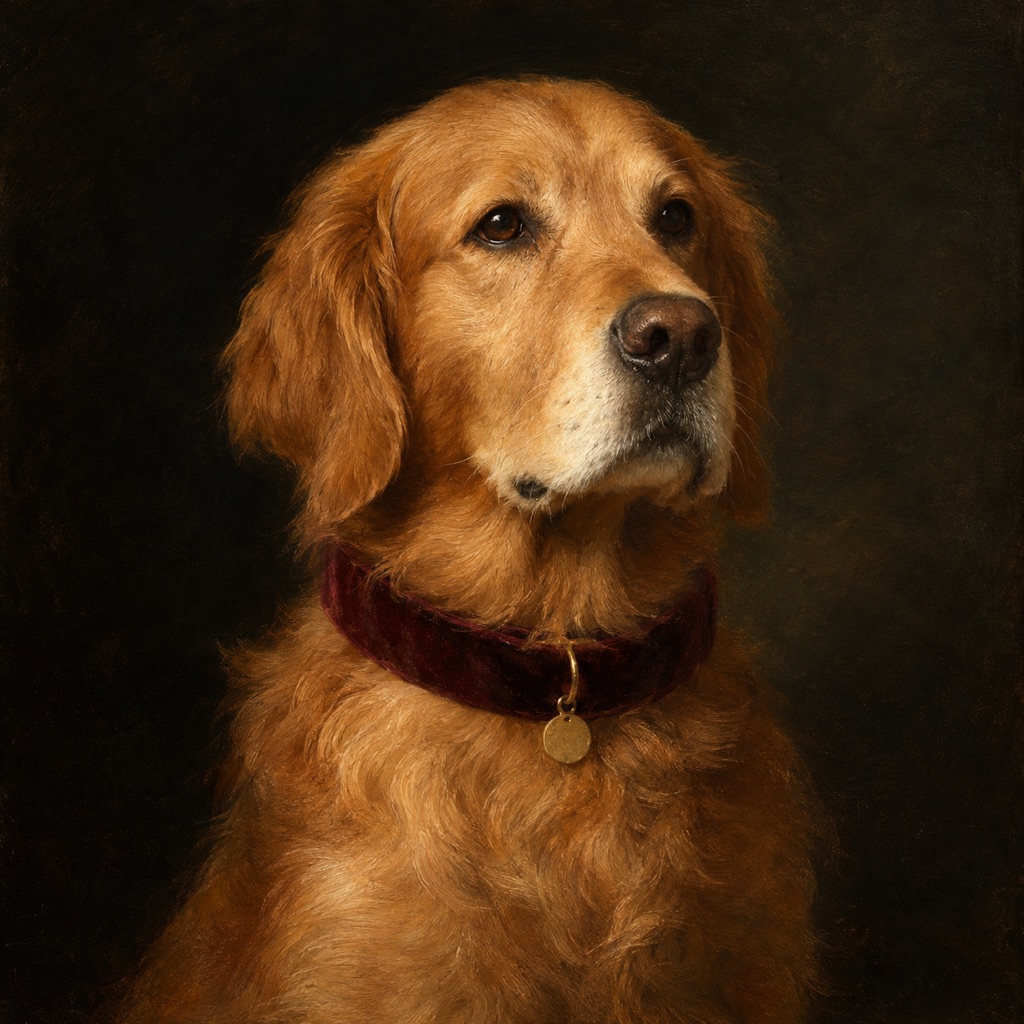 Photo edit
Royal Oil Portrait
A museum-style pet portrait with real fur detail.
Prompt
Use the uploaded pet photo as the primary reference. Transform the pet into a museum-style royal portrait. Preserve the animal’s breed, fur color, distinctive markings, eye color, facial appearance, and natural anatomy. Keep the costume fitted naturally without covering the eyes or changing the species. Avoid extra animals, unnatural paws, duplicated limbs, text, and watermarks. Add a deep velvet collar with a small brass tag and keep the fur texture and markings exact. Use a classical oil-painting composition with a dark background, soft chiaroscuro lighting, and visible brushwork while preserving the pet’s real face. The final image should look like a restored gallery portrait, not a cartoon. Use photorealistic professional pet photography with realistic fur texture and natural shadows.
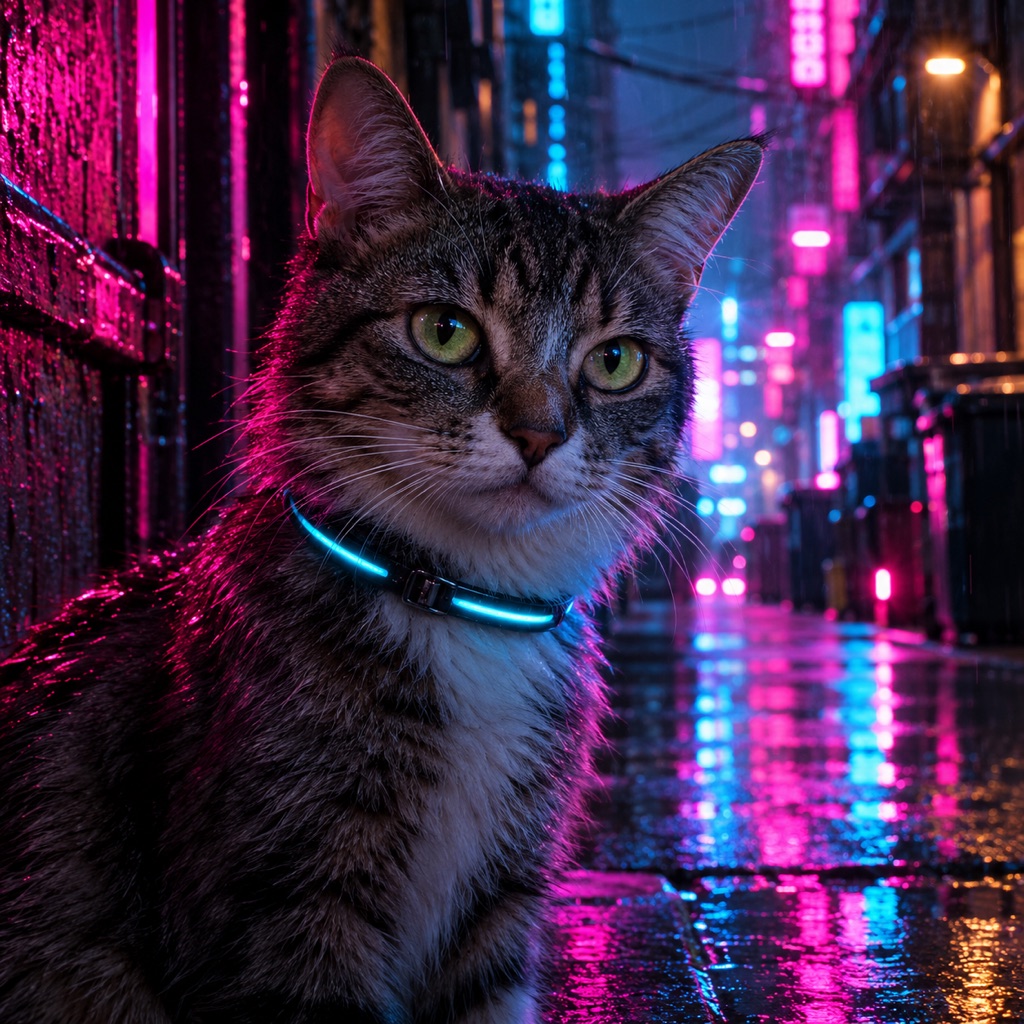 Photo edit
Cyberpunk Cat
Neon reflections without changing the cat.
Prompt
Use the uploaded pet photo as the primary reference. Transform the pet into a cinematic cyberpunk portrait. Preserve the animal’s breed, fur color, distinctive markings, eye color, facial appearance, and natural anatomy. Keep the costume fitted naturally without covering the eyes or changing the species. Avoid extra animals, unnatural paws, duplicated limbs, text, and watermarks. Add a slim illuminated collar and subtle neon reflections on the fur. Keep the eyes, markings, and expression unchanged. Place the pet in a rainy neon alley with magenta and cyan light, shallow depth of field, and realistic wet reflections. Use photorealistic professional pet photography with realistic fur texture and natural shadows.
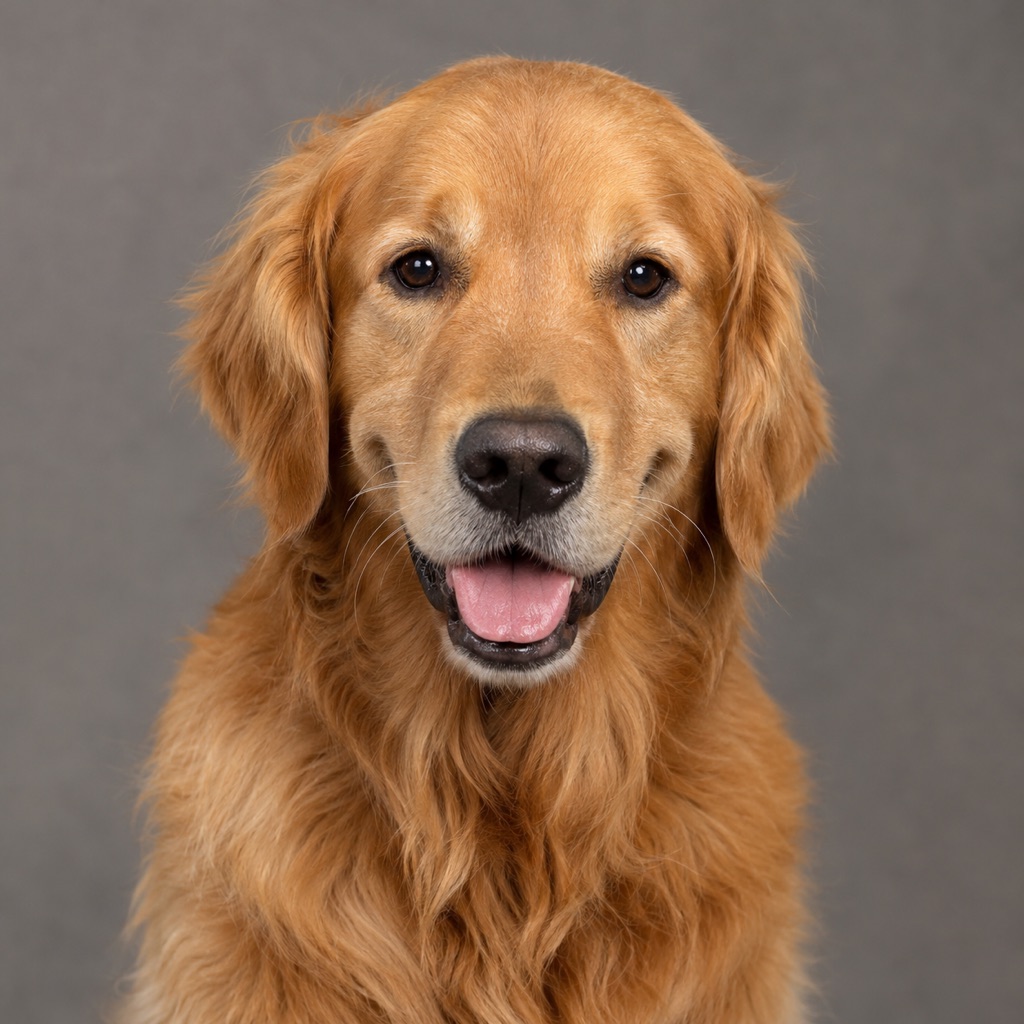 Photo edit
Studio Headshot
A clean, adoptable studio portrait.
Prompt
Use the uploaded pet photo as the primary reference. Create a professional studio headshot of the pet. Preserve the animal’s breed, fur color, distinctive markings, eye color, facial appearance, and natural anatomy. Keep the costume fitted naturally without covering the eyes or changing the species. Avoid extra animals, unnatural paws, duplicated limbs, text, and watermarks. Keep the pose natural and the expression relaxed. Do not add clothing or accessories. Use a warm-gray seamless backdrop, a soft key light, a gentle fill, and a subtle catchlight in the eyes. The result should look like a high-end adoption portrait. Use photorealistic professional pet photography with realistic fur texture and natural shadows.
The source photo matters more than the style. A sharp, well-lit photo with a clear view of the face will survive almost any style. A blurry photo with a busy background will fight every prompt.
- Face the camera. A front-facing or three-quarter view gives the model the most information.
- Use soft, even light. A window or a shaded outdoor spot is better than direct sun or a dark room.
- Keep the background simple. A plain wall, a sofa, or grass is enough.
- Get close enough. The head should fill a meaningful part of the frame.
- Avoid filters. Real fur texture and eye detail are what make the portrait believable.
- Take several photos. One good expression is worth more than ten average ones.
If your pet will not sit still, take a photo while they are resting or looking at a toy. A calm expression usually produces a better portrait than a startled one.
Use the uploaded pet photo as the primary reference. Preserve the animal's breed, fur color, distinctive markings, eye color, facial appearance, and natural anatomy. Transform the portrait into [style]. Add [one accessory or scene detail]. Use [lighting], [palette], and [medium]. Keep the pet's real face and expression. Avoid extra animals, unnatural paws, duplicated limbs, text, logos, and watermarks.
The phrase "keep the pet's real face" is doing a lot of work. Without it, a style prompt can turn the animal into a generic mascot.
A pet portrait works as a phone wallpaper, a social post, a card, or a print. If you plan to print, generate the largest version you can and check the face at 100%. A portrait that looks good on a phone can fall apart on a 16×20 canvas if the eyes are soft.
For a gallery wall, generate two or three styles of the same photo and print them at the same size. The shared identity makes the set feel intentional.
A portrait changes the style around the pet. A costume changes what the pet is wearing. If you want a pumpkin, a dinosaur, or a stick of butter, use the Halloween pet costume generator. If you want a timeless portrait, stay on this page.
You can also combine the two: generate a studio portrait first, then add a seasonal costume in a second pass. Building the image in steps is easier to control than asking for a costume and a painting style at the same time.
The generator creates an image, not a physical painting. It cannot recover detail that is not in the source photo, and it cannot guarantee a perfect likeness on every attempt. Start with the best photo you have, keep the prompt specific, and judge the result at full size.
The image workspace uses credits, and the current plans are listed on the pricing page. Generate one style first, then decide whether you want a set.
Yes, if the photo is sharp and well lit. A modern phone photo is usually enough. Avoid screenshots, heavy filters, and photos where the pet is very small in the frame.
A good prompt tells the model to preserve breed, fur color, distinctive markings, eye color, and facial appearance. Results still vary. Check the markings at full size before you print.
Yes. A clear photo is enough. Many people use these portraits as a keepsake. Take your time with the style and choose one that feels right rather than the most dramatic option.
Yes. Say "exactly two pets" and describe both. Without a count, the model may add a third animal. Two separate photos often work better than one group photo.
You can print the image you generate, subject to your plan, the model or provider terms, and local law. Generate the largest version available and check the face at 100% before printing.
Commercial use depends on your plan, the model or provider terms, your rights in the source photo, and local law. Review the terms of service before using an output in a product or an ad.
Choose one photo with a clear face, start with the Studio Headshot style, and then try a painted version. The best pet portrait is the one where the animal still looks like themselves.
