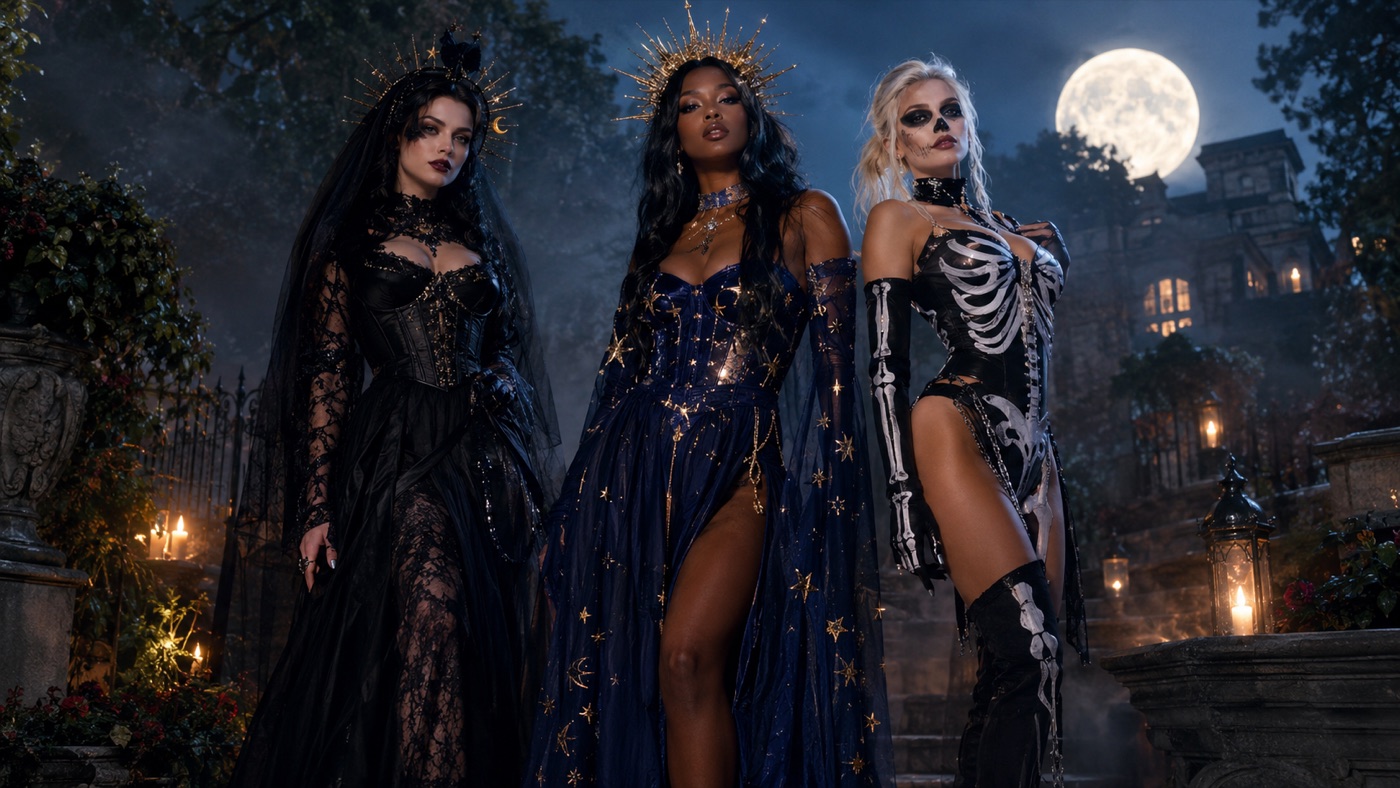
Most Halloween costume searches start with the same problem: you know the vibe you want, but you do not want to buy a costume you will wear once, wait for shipping, or spend an hour in a fitting room. You already have a photo. What you need is a way to see the look on you before you commit.
An AI Halloween costume generator solves that specific job. You upload a clear photo, choose a look, and the model edits the photo instead of replacing the person in it. The useful version of this tool is not a random costume slot machine. It is a controlled photo edit that preserves your face, changes the outfit and scene, and gives you a result you can actually post.
There are three different jobs hiding behind the same search phrase, and they need different prompts.
Try a costume on your own photo. This is an image-to-image edit. The model receives your selfie as the primary reference, keeps your facial identity and body proportions, and replaces the clothing, hair, accessories, and background. This is the workflow most people want when they search for a costume generator.
Create a costume concept from text. This is text-to-image. You describe a look and the model creates a model wearing it. It is useful for moodboards, party invitations, and testing an idea before you shoot a real photo.
Generate a coordinated group look. Couples, friends, and families need the same scene with more than one person. That requires a model that accepts multiple reference images and a prompt that explicitly says how many people should appear. Without that instruction, models tend to add a third person or swap faces.
The gallery below is built for the first job: real photo edits with prompts that protect identity. You can copy any prompt and use it in the image workspace, or send it straight into the generator.
Signature looks you can generate now
Pick a look, copy the exact prompt, or send it straight into the generator. Prompts are written for identity preservation, so the result still looks like the person or pet in the photo.
Opens the generator with this prompt. You’ll sign in; images start at 5 credits.
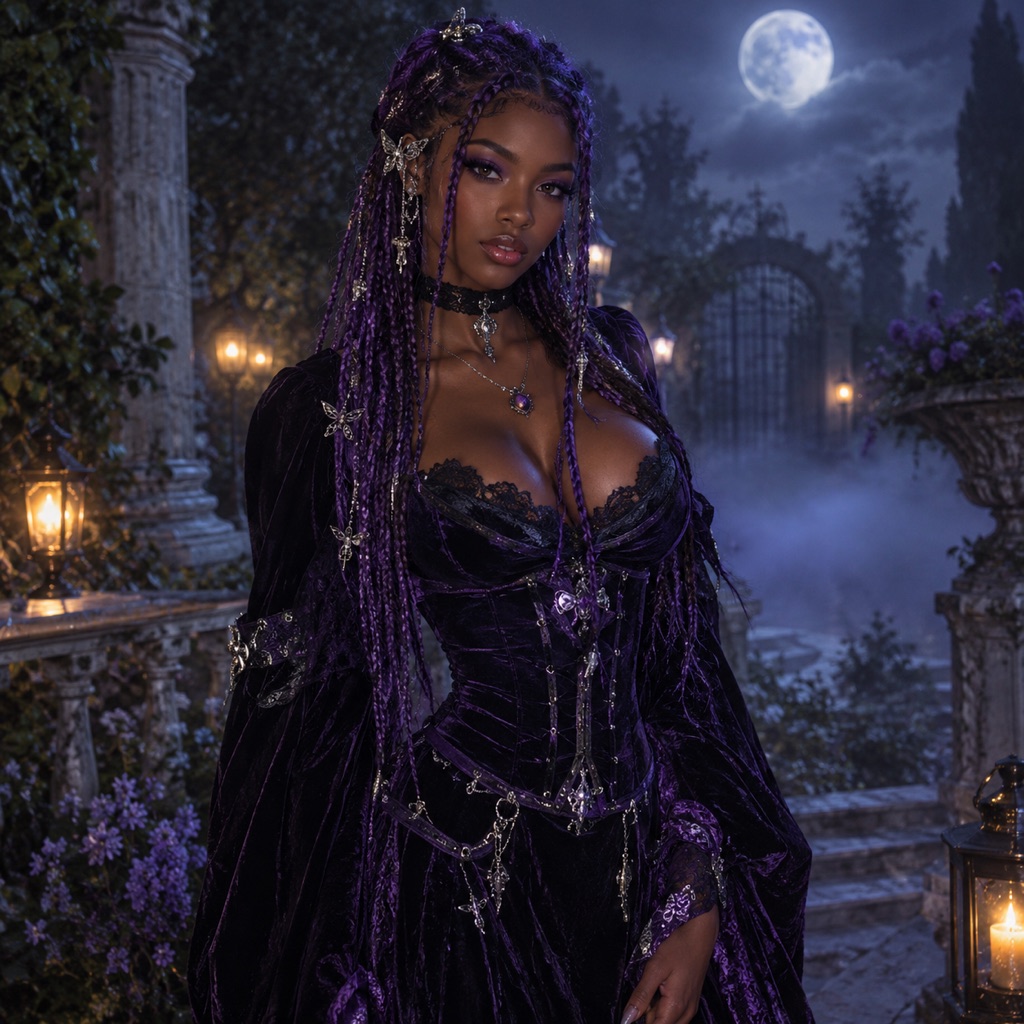 Photo edit
Midnight Braids
Violet braids, gothic velvet, and a moonlit garden.
Prompt
Use the uploaded photo as the primary reference. Transform the subject into an original gothic Halloween fashion portrait. Preserve the subject’s recognizable facial identity, facial proportions, skin tone, approximate age, and natural anatomy. Keep the same number of people as the source photo. Avoid altered identity, extra limbs, duplicated fingers, distorted anatomy, text, logos, and watermarks. Change the hairstyle into long violet braids decorated with delicate silver hair accessories. Replace the clothing with an elegant black-and-purple velvet outfit featuring subtle lace and metallic details. Place the subject in a moonlit Victorian garden with soft fog, glowing lanterns, and dark autumn foliage. Use photorealistic editorial photography with realistic textures, natural skin detail, and cinematic lighting.
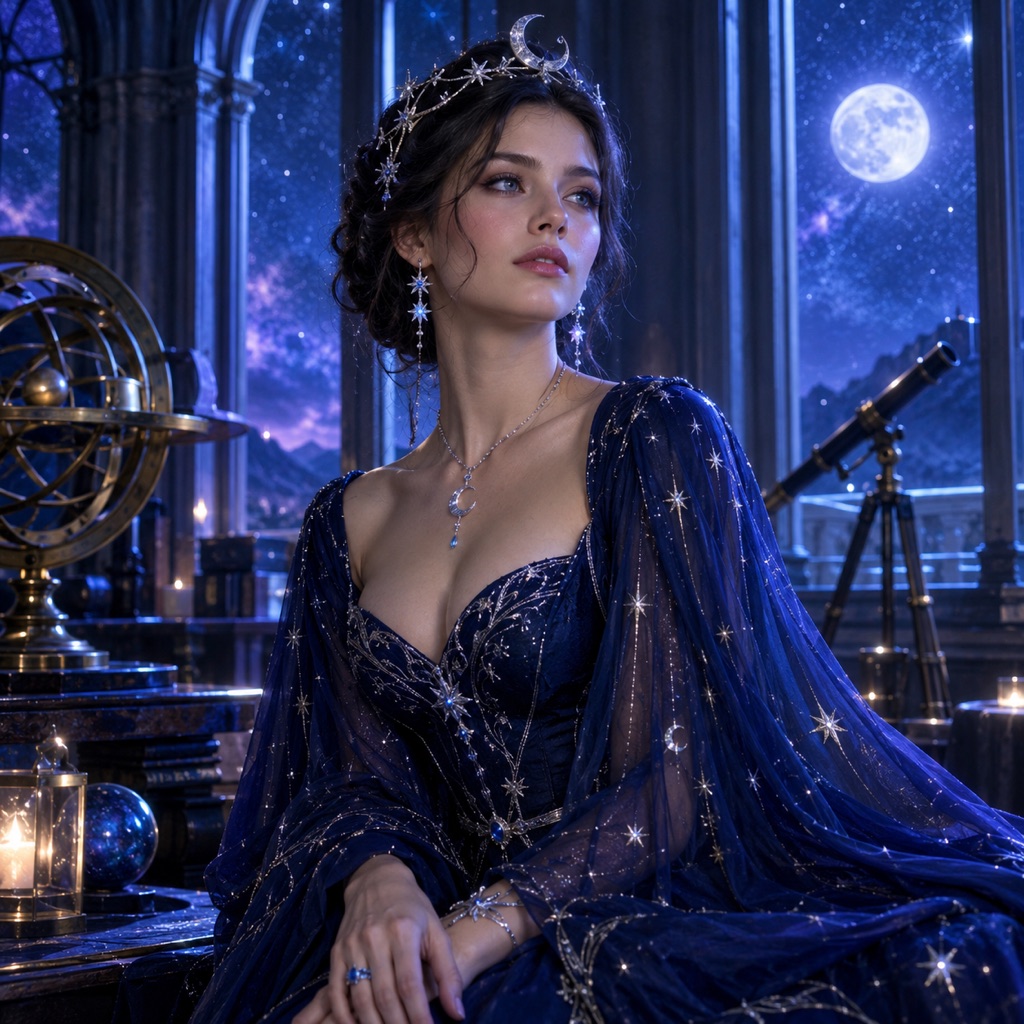 Photo edit
Cosmic Princess
A midnight-blue gown with glowing constellations.
Prompt
Use the uploaded photo as the primary reference. Edit the uploaded photo into an original celestial Halloween princess portrait. Preserve the subject’s recognizable facial identity, facial proportions, skin tone, approximate age, and natural anatomy. Keep the same number of people as the source photo. Avoid altered identity, extra limbs, duplicated fingers, distorted anatomy, text, logos, and watermarks. Replace the outfit with a midnight-blue fantasy gown featuring silver embroidery, softly glowing star patterns, and realistic flowing fabric. Add a delicate silver moon crown and luminous accessories. Place the subject inside a moonlit observatory with a starry sky visible through tall windows. Use a deep-blue, silver, and violet palette. Use photorealistic editorial photography with realistic textures, natural skin detail, and cinematic lighting.
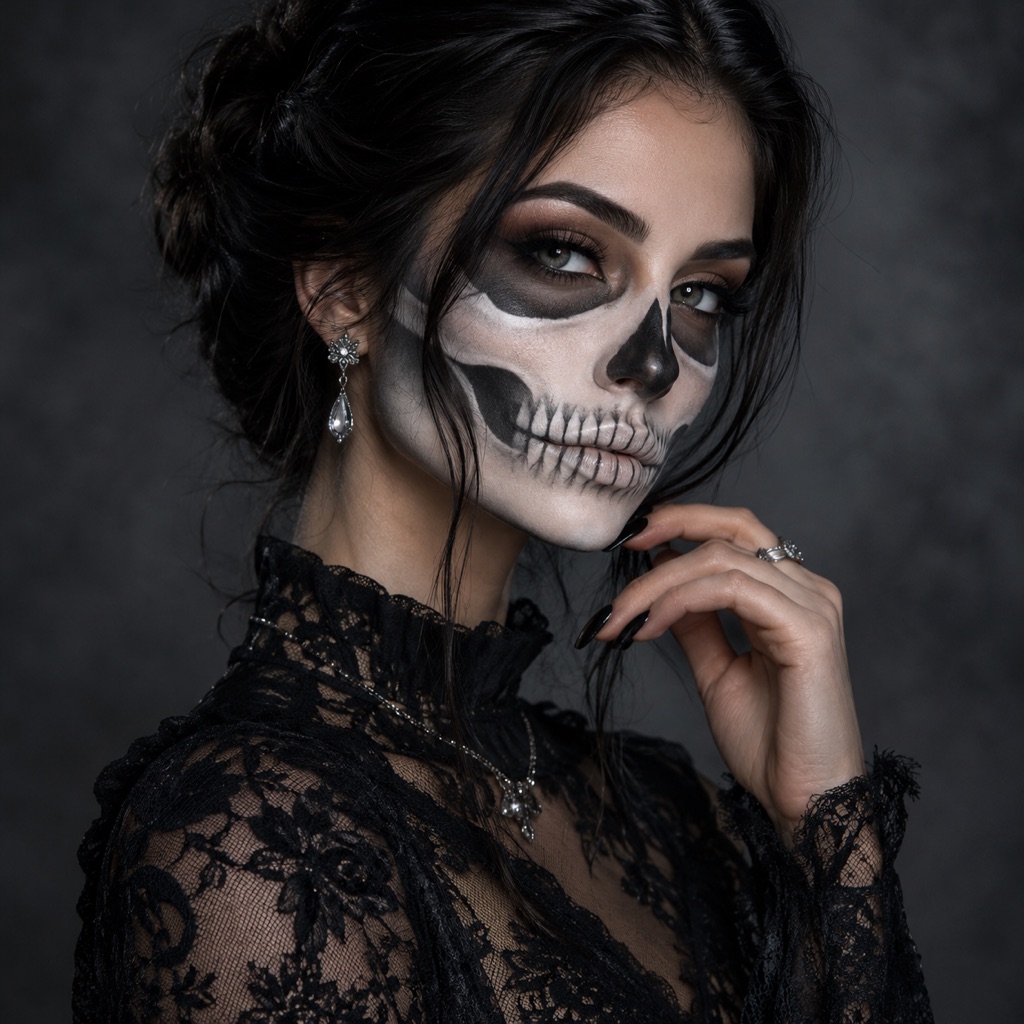 Photo edit
Skeleton Glam
Editorial skeleton makeup that still looks like you.
Prompt
Use the uploaded photo as the primary reference. Transform the subject into a high-fashion skeleton glam Halloween portrait. Preserve the subject’s recognizable facial identity, facial proportions, skin tone, approximate age, and natural anatomy. Keep the same number of people as the source photo. Avoid altered identity, extra limbs, duplicated fingers, distorted anatomy, text, logos, and watermarks. Apply elegant black-and-white skeleton makeup that follows the natural bone structure without hiding the face. Keep the eyes and expression readable. Dress the subject in black lace with subtle silver jewelry. Use a smoke-gray studio backdrop, dramatic side lighting, and a polished editorial beauty look. Use photorealistic editorial photography with realistic textures, natural skin detail, and cinematic lighting.
The quality difference between a creepy result and a convincing one usually comes from the source photo and the prompt, not from pressing generate more times.
Use a front-facing photo where your face is sharp, evenly lit, and not covered by sunglasses or a heavy filter. A plain background helps. So does a photo where your hair is not merged into a dark background. For a full costume, a waist-up or full-body photo gives the model more room to change the outfit. For a portrait look, a head-and-shoulders photo is enough.
Avoid group photos when you only want one person transformed. The model has to decide which face to keep, and that is where identity drift starts. If you are editing a couple, use a photo with exactly two people and say so in the prompt.
Every style card includes the full prompt. Read it before you generate. A good costume prompt has five parts:
- Preserve: face, skin tone, age, body proportions, pose, and the number of people.
- Change: hair, outfit, accessories, makeup, and fabric details.
- Scene: location, time of day, weather, and background objects.
- Camera: photorealistic editorial photography, lens feel, lighting direction, and color palette.
- Avoid: altered identity, extra limbs, duplicated fingers, distorted anatomy, text, logos, and watermarks.
The avoid list matters more than most people expect. Models are trained to add details, and without a boundary they will happily add a second necklace, a floating hand, or a costume logo that does not exist.
If the first result is close but the costume is wrong, keep the face and scene and change only the outfit description. If the face is wrong, simplify the scene and remove accessories that cover the face. If the lighting is flat, add a specific light source such as candlelight from the left or a cold moon from behind. One change per generation is easier to judge than five.
Before you post, zoom in on the hands, the hairline, the ears, and the edge where the costume meets the background. Those are the places where AI edits usually fail. A second pass with a tighter prompt often fixes a single bad hand. If the face has drifted, start again from the original photo instead of editing the edit.
The strongest Halloween looks this year are not generic monsters. They are specific fashion directions with a clear silhouette: gothic romance, celestial royalty, skeleton glam, haunted mascots, and playful pet costumes. Specificity gives the model something to hold onto.
Midnight Braids works because the change is concentrated in the hair and the fabric. Long violet braids, silver hair accessories, and a black-and-purple velvet outfit read clearly even in a small social post. The moonlit garden background adds atmosphere without competing with the face.
Cosmic Princess is a lighting-heavy look. The midnight-blue gown, silver embroidery, and glowing star patterns need a dark background to show up. A moonlit observatory gives the model a believable place to put that light.
Skeleton Glam is the most editorial of the three. The makeup follows the natural bone structure instead of covering the whole face, so the person still looks like themselves. It is a better choice for a profile photo than a full prosthetic mask.
If you want a costume that reads from across a room, choose a strong silhouette and one accent color. If you want a portrait for a profile or a story, choose a look with more detail around the face.
A prompt is a set of constraints. The words matter, but the order matters too. Start with the reference and the preservation rules. Then describe the change. Then describe the scene and the camera. End with the negative constraints.
Here is the structure in plain language:
Use the uploaded photo as the primary reference. Preserve the subject's recognizable facial identity, facial proportions, skin tone, approximate age, and natural anatomy. Transform the subject into [look]. Change [hair, outfit, accessories]. Place the subject in [scene]. Use [photography style, lighting, palette]. Keep the same number of people as the uploaded photo. Avoid altered facial identity, extra limbs, duplicated fingers, distorted anatomy, text, logos, and watermarks.
That structure works for a single portrait, a couple, and a pet. The details change; the guardrails do not.
- Light your face, not just the room. A window or a soft lamp in front of you is enough. Backlit photos make the model guess at skin tone.
- Keep the camera at eye level. A photo shot from below distorts the jaw and gives the model less information about the face.
- Do not over-smooth the photo. Real skin texture helps the result look photographic. Beauty filters remove the details the model needs.
- Leave room around the body. A tightly cropped photo limits what the model can do with a full costume.
- Take one photo per person for a couple. Two clear references are better than one blurry group photo.
A still image is the right output for a costume reveal, a profile photo, a party invitation, or a social post. It is also cheaper and faster to review.
A short video is the right output when the look depends on movement: a head turn, drifting fog, a flickering lantern, or a slow camera push. The usual workflow is to generate the costume portrait first, then animate that image. Starting from a still gives you a consistent face and costume, and the video model only has to handle motion. If you want that path, start with the Halloween AI video generator after you have a portrait you like.
The image workspace uses credits, and the exact plan options live on the pricing page. You do not need to buy a costume, book a studio, or install an app to test a look. Start with one style, generate a portrait, and decide from the result whether the direction is worth pursuing. If you want to compare a still and a motion version, generate the still first and animate the version you like.
No. A waist-up photo works for most portrait looks. A full-body photo gives the model more room for a complete costume, but it also makes the face smaller, so use a sharp image with even light.
A good prompt tells the model to preserve your facial identity, proportions, skin tone, and approximate age. Results still vary by model and source photo. If the face drifts, remove accessories that cover the face, simplify the background, and start again from the original photo.
Yes. Use two clear reference photos and a prompt that explicitly says there are exactly two people and that faces must not be swapped. The couple gallery and the couple costume guide include prompts written for that workflow.
Yes. Pet edits need a different prompt because the model must preserve the animal's breed, fur markings, eye color, and anatomy. The Halloween pet costume generator includes pet-specific prompts and examples.
No. The generator creates an image, not a physical costume. You can use the image as a reference when you shop, but the site does not sell or ship costumes.
Commercial use depends on your plan, the model or provider terms, your rights in the source photo, and local law. Review the terms of service and the current plan terms before using an output in an ad or a product.
Ready to see the look on your own photo? Open the AI image generator, choose a style, and upload a clear selfie. If you only want to test the prompt first, copy it from the gallery above and paste it into the workspace.
