Halloween trends move faster than most seasonal searches. A costume that appears in a trailer, a game update, or a creator's video can jump from obscurity to a top-ten search in a few days. By the time a product page is updated, the window may already be closing.
This page is the hub for the 2026 AI Halloween trend: what people are searching for, which directions translate well into AI images and videos, and where to go next. The goal is not to copy a copyrighted character. It is to understand the visual idea behind the trend and turn it into an original look you can generate, post, or use as a reference when you shop.
Halloween search demand usually clusters into five groups. Each one maps to a different kind of AI prompt.
| Trend group | What people search for | Best AI output |
|---|
| Costume characters | specific heroes, mascots, musicians, and film roles | a portrait or full-body look |
| Kids and family | group costumes, school-safe ideas, matching themes | a family or sibling portrait |
| Pets | pumpkin, dinosaur, food, and movie-inspired pet costumes | a pet portrait with a costume |
| Couples | coordinated duos, contrasting themes, matching colors | a two-person portrait |
| Horror cinema | slashers, haunted places, mascots, and atmospheric scenes | a cinematic still or short video |
The mistake is to build one page for every keyword in those groups. Most of the long tail does not have enough independent demand. The better approach is to group related ideas into a few strong pages, then let the prompt gallery handle the variations. That is how this site is organized: one page per clear intent, with several tested looks inside it.
Character-driven costumes dominate the top of the seasonal charts. The useful part for an AI tool is not the character's face or logo. It is the silhouette, the color story, and the styling details that make the look recognizable at a glance.
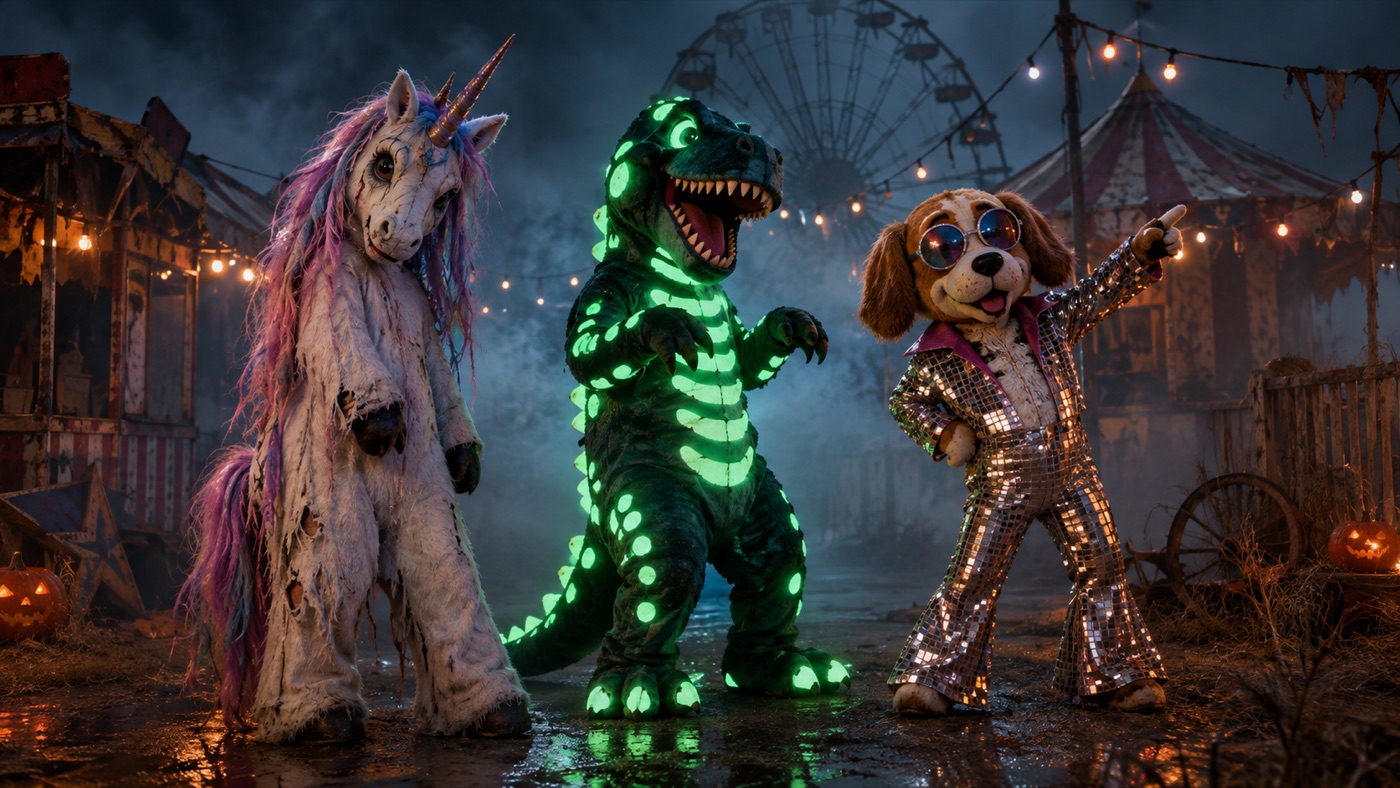
A haunted unicorn mascot, for example, works because of the pastel fur hood, the cracked horn, and the contrast between cute and unsettling. You can generate an original mascot-inspired costume with those signals without reproducing a specific film character. The same logic applies to a cosmic princess, a skeleton-glam portrait, or a gothic garden couple.
When you write the prompt, translate the trend into visual rules:
- Silhouette: hood, cape, armor, gown, oversized collar, or fitted tailoring.
- Texture: brushed fur, cracked resin, velvet, lace, latex, or metallic panels.
- Palette: pastel horror, midnight blue and silver, black and bone, or neon.
- One signature detail: a horn, a crown, a glowing accent, a stitched seam.
- Scene: carnival, graveyard, observatory, ballroom, or forest.
That is enough to create an original look that feels on-trend without copying a protected design.
Signature looks you can generate now
Pick a look, copy the exact prompt, or send it straight into the generator. Prompts are written for identity preservation, so the result still looks like the person or pet in the photo.
Opens the generator with this prompt. You’ll sign in; images start at 5 credits.
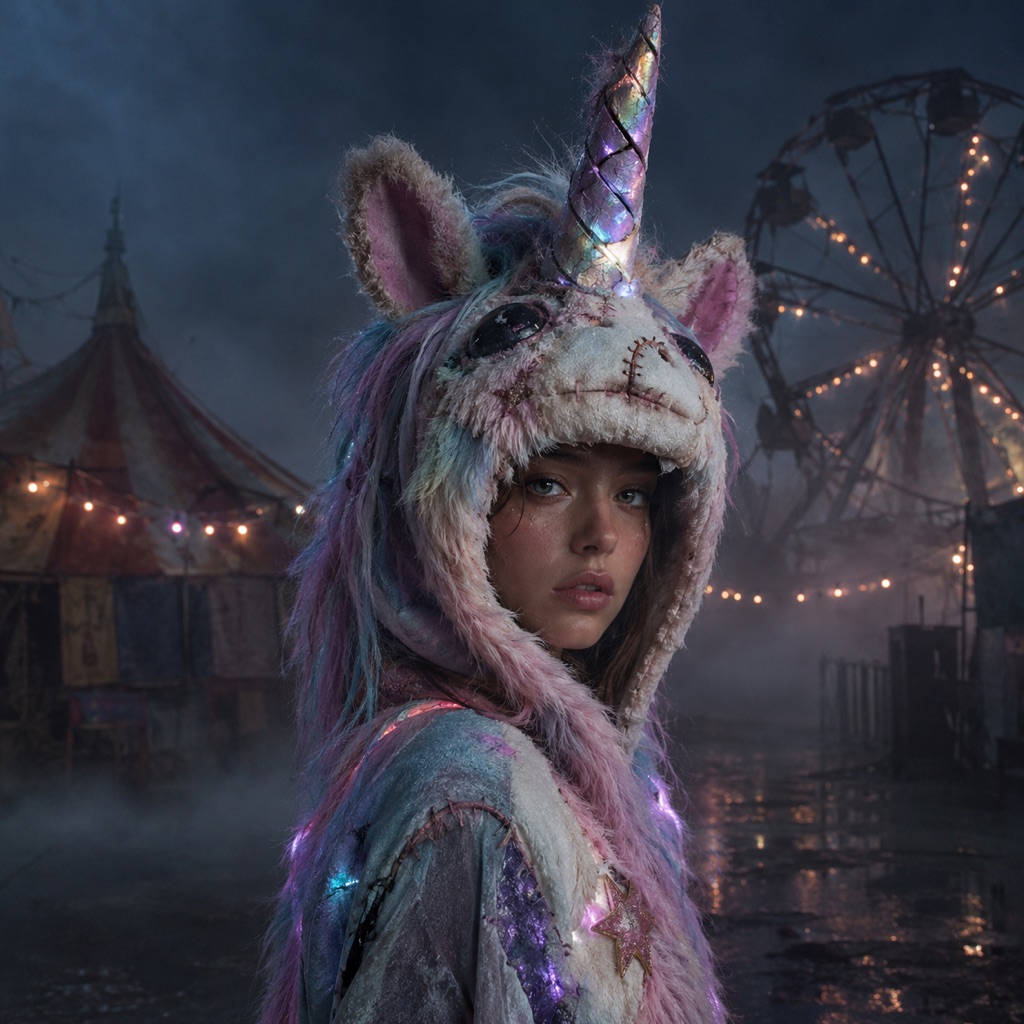 Photo edit
Haunted Unicorn Mascot
An original haunted unicorn costume, not a film still.
Prompt
Use the uploaded photo as the primary reference. Transform the subject into an original haunted unicorn mascot costume portrait. Preserve the subject’s recognizable facial identity, facial proportions, skin tone, approximate age, and natural anatomy. Keep the same number of people as the source photo. Avoid altered identity, extra limbs, duplicated fingers, distorted anatomy, text, logos, and watermarks. Create a wearable mascot-inspired costume with a soft pastel fur hood, a cracked iridescent horn, stitched velvet details, and subtle glowing eyes on the costume, not on the person. The person’s face must remain visible and recognizable. Place the subject in a foggy abandoned carnival at night with faded string lights and damp asphalt. This is an original design and must not reproduce any existing film or franchise character. Use photorealistic editorial photography with realistic textures, natural skin detail, and cinematic lighting.
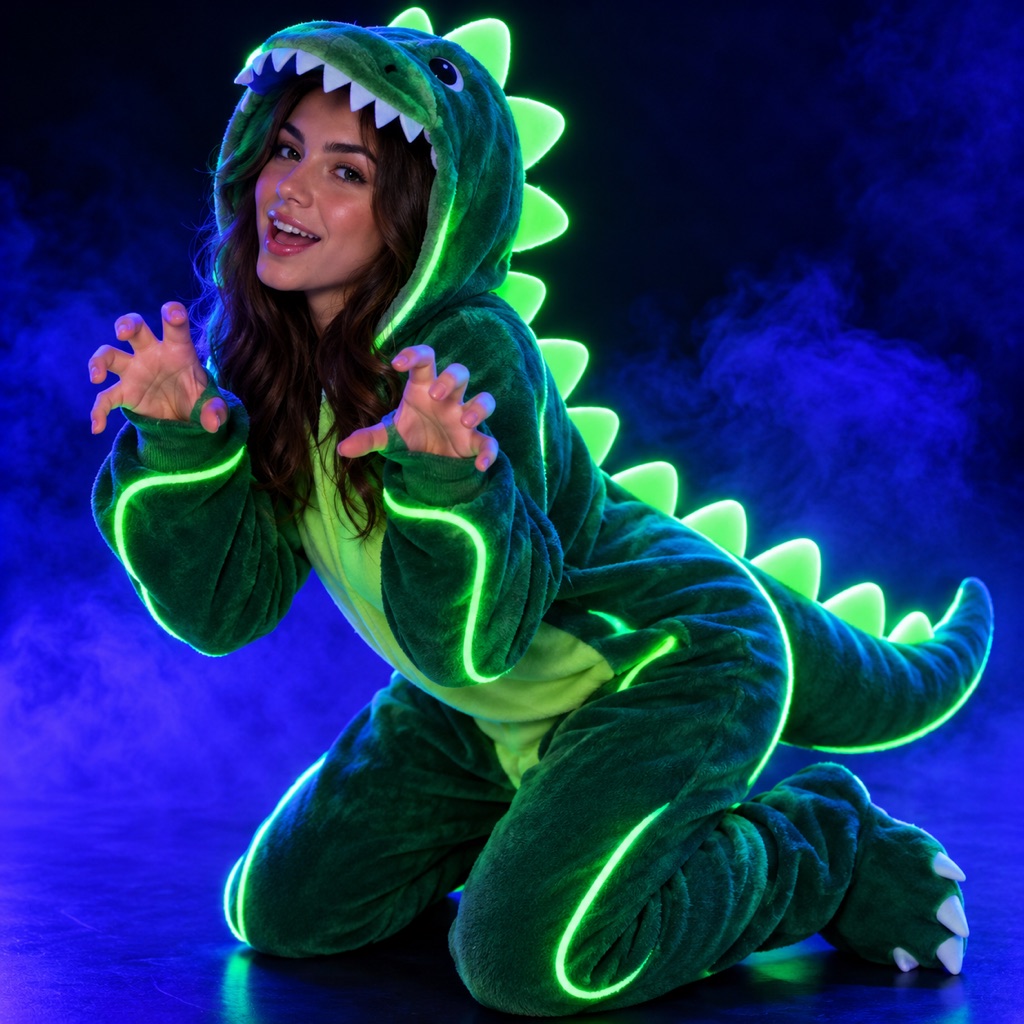 Photo edit
Glow-in-the-Dark Dino
A playful neon dinosaur look for photos or pets.
Prompt
Use the uploaded photo as the primary reference. Transform the subject into a playful glow-in-the-dark dinosaur costume portrait. Preserve the subject’s recognizable facial identity, facial proportions, skin tone, approximate age, and natural anatomy. Keep the same number of people as the source photo. Avoid altered identity, extra limbs, duplicated fingers, distorted anatomy, text, logos, and watermarks. Create a wearable soft-sculpt dinosaur costume with rounded spikes, matte fabric, and green-blue neon piping that glows under black light. Keep the person’s face visible and the costume clearly wearable. Use a dark studio with a black-light glow, subtle fog, and playful editorial energy. Do not turn the person into a literal reptile. Use photorealistic editorial photography with realistic textures, natural skin detail, and cinematic lighting.
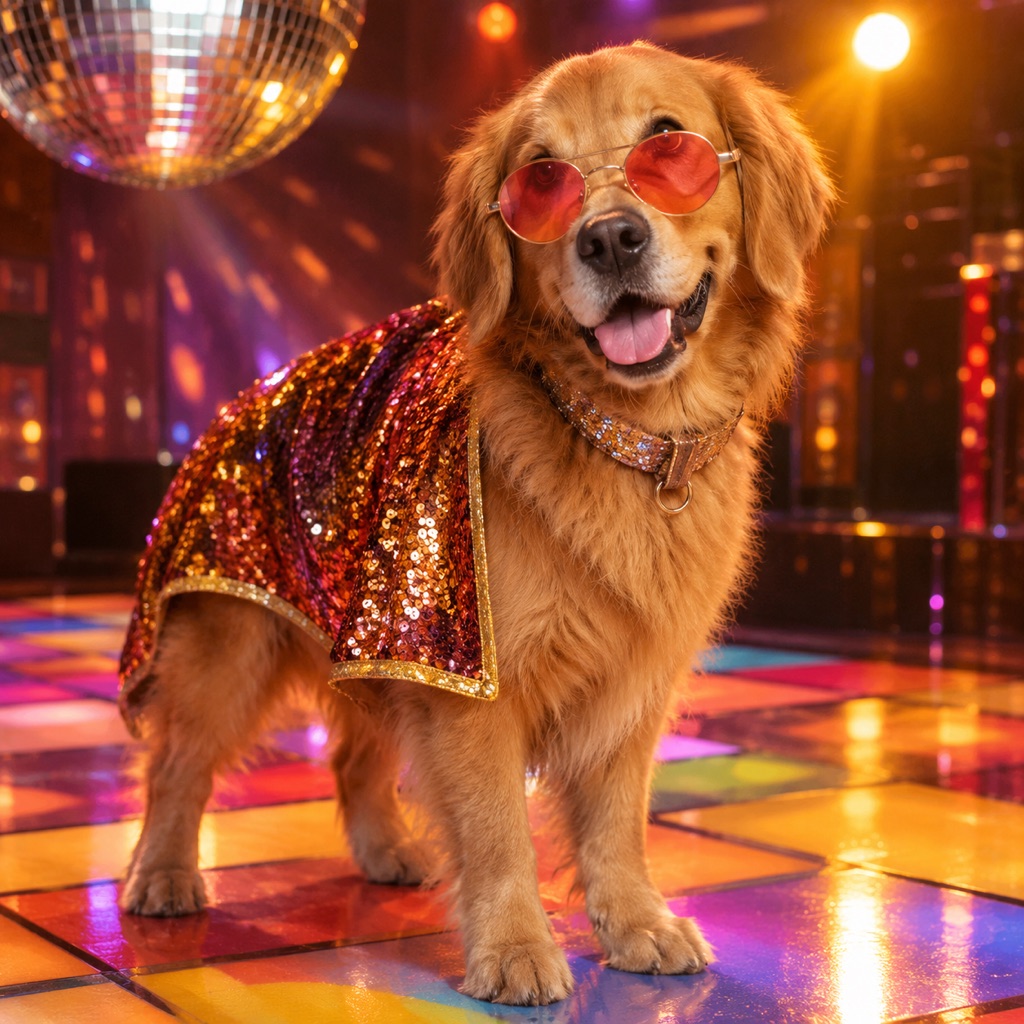 Photo edit
Disco Hound
A retro dance-floor mystery hound, reinvented.
Prompt
Use the uploaded pet photo as the primary reference. Dress the pet as an original retro disco hound. Preserve the animal’s breed, fur color, distinctive markings, eye color, facial appearance, and natural anatomy. Keep the costume fitted naturally without covering the eyes or changing the species. Avoid extra animals, unnatural paws, duplicated limbs, text, and watermarks. Add a glitter collar, a small sequined cape, and round tinted glasses that sit comfortably without covering the eyes. Place the pet on a colorful 1970s dance floor with warm spotlights and a subtle disco ball reflection. This is an original look inspired by disco fashion, not a specific cartoon character. Use photorealistic professional pet photography with realistic fur texture and natural shadows.
Mascot horror is one of the strongest visual trends of the season. It works because it mixes a friendly shape with a wrong detail: a theme-park smile, a stitched seam, a missing eye, or a costume that looks slightly too heavy. The trend is less about a specific character and more about that mismatch.
For AI generation, keep the person visible inside the costume. A full mascot head hides the face and makes the result look like a render. A hood, a half-mask, or a costume with the face exposed gives you a portrait that still reads as a person.
If you want to go deeper into this direction, the haunted unicorn costume generator has three original mascot prompts and a full explanation of the silhouette.
Pet costume searches behave differently from adult costume searches. People are not trying to look like a character. They want a photo of their pet that is funny, cute, and safe. The best pet prompts preserve the animal's breed, fur markings, and anatomy, and they keep the costume away from the eyes and paws.
The strongest pet directions this year are simple shapes: a pumpkin, a glow-in-the-dark dinosaur, a stick of butter, a tiny cape, or a coordinated owner-and-pet look. Simple shapes are easier for the model to fit onto a real animal, and they photograph well.
Start with the Halloween pet costume generator if you want the pet-specific prompt rules. If you want a portrait rather than a costume, the AI pet portrait generator covers oil-painting, cyberpunk, and studio styles.
Couple costumes used to mean matching outfits. The stronger trend is coordination: two looks that share a palette or a story but are not identical. Cowboys and angels, sun and moon, vampire and victim, or two different eras of the same character all work because the contrast is the point.
Two-person edits need a model that accepts multiple reference images. The prompt must say exactly two people, preserve both identities, and forbid face swapping. Without those constraints, the model will often blend the two faces or add a third person.
Use the Halloween couple costume generator for the full workflow and the tested prompts.
Horror movie searches spike every October, but the visual demand is broader than the film itself. People want the atmosphere: a foggy street, a flickering motel sign, a masked figure at the end of a hallway, a forest with a single lantern.
For AI images, atmosphere is easier to generate than a specific film scene. A cinematic still with one light source, low fog, and a strong silhouette will read as horror without any gore. For video, the same scene can be animated with a slow push-in, a head turn, or a flickering light. The Halloween AI video generator covers the motion prompts.
A trend page needs more than a list. It needs a clear intent, a unique angle, and a useful next step. The pages that tend to hold rankings after the season share four traits:
- One primary keyword per page. A page about pet costumes should not try to rank for couple costumes.
- A real tool or template. A visitor who copies a prompt or generates an image stays longer than a visitor who only reads a list.
- Original examples. Generic stock images do not demonstrate the trend. Generated examples show what the prompt actually produces.
- Internal links to the next step. The trend page should lead to the costume, pet, couple, prompt, and video pages, not dead-end.
That is the structure used here. The AI Halloween costume generator handles the main costume intent. The Halloween AI photo editor handles atmosphere edits. The Halloween AI prompts page handles copy-ready prompts. The Halloween AI video generator handles motion. The pet and couple pages handle the two group intents.
If you only have ten minutes, generate one portrait and one pet image. The portrait tests whether your source photo and prompt preserve identity. The pet image tests whether the costume fits naturally. Those two results tell you more about the model than a page of theory.
If you have a little more time, generate a still and then animate it. A five-second clip with a slow head turn and drifting fog is usually enough for a Reels or TikTok post, and it costs less than a full video shoot.
The strongest direction is original mascot-inspired costumes: friendly shapes with one unsettling detail. Haunted unicorn, glow dinosaur, and retro disco animal looks all fit that pattern. The trend is about the silhouette and the mismatch, not a specific film character.
You can generate an original look inspired by a character's silhouette, palette, and styling. Reproducing a protected character design, logo, or actor likeness is a different legal question. Keep the prompt original and avoid naming a franchise in the output.
Use the Halloween pet costume generator. Pet prompts need different preservation rules from human portraits, especially around breed, fur markings, and anatomy.
Use the Halloween couple costume generator. It explains the two-reference workflow and includes prompts that prevent face swapping.
Yes. Generate the still first, then animate it with a short motion prompt. The Halloween AI video generator covers head turns, fog, lantern flicker, and slow push-ins.
This report was written for the 2026 Halloween season and focuses on directions that are visible in search interest, social video, and costume retail. Trend data changes quickly. Use the prompts as a starting point and update the look for the current season.
Pick one direction, open the AI image generator, and generate a single look. The fastest way to judge a trend is to see it on a real photo.
