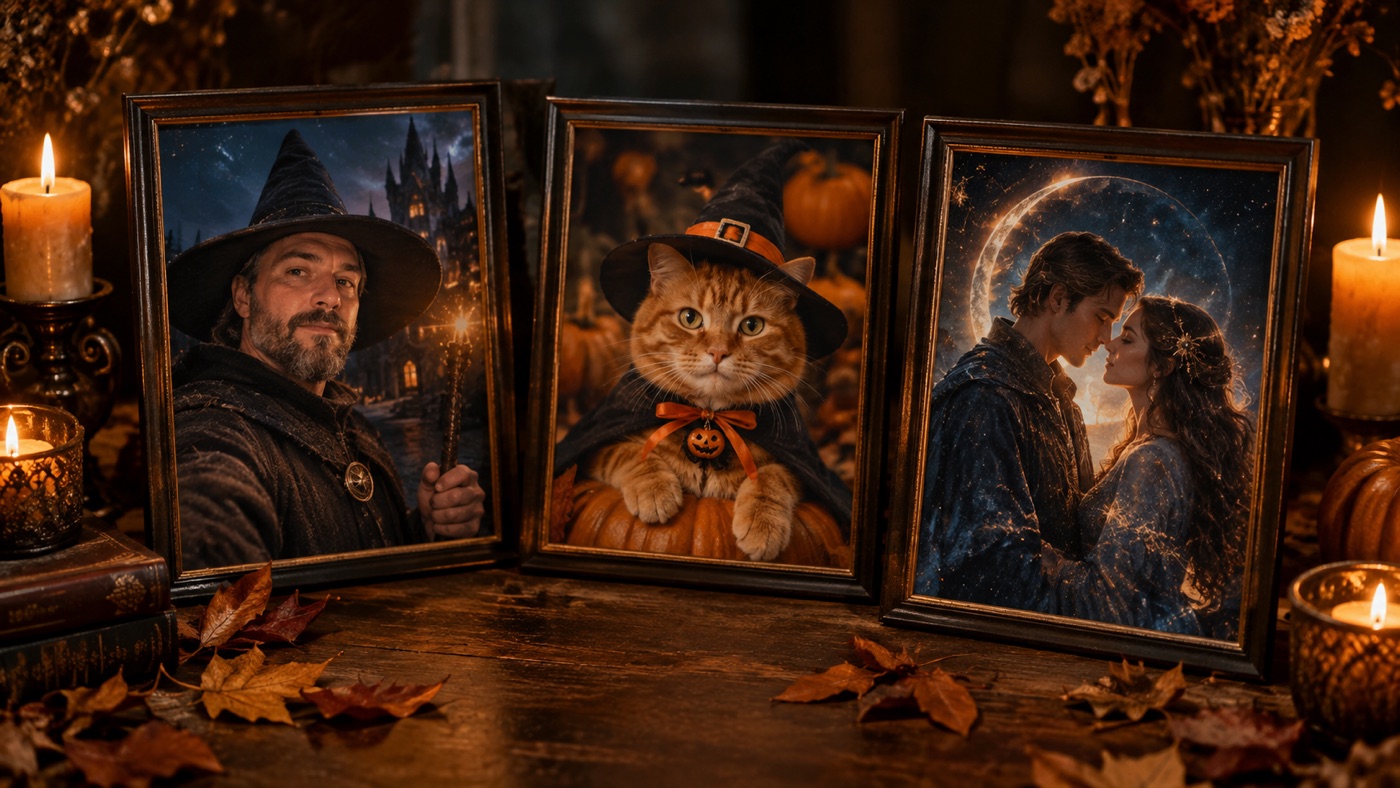
Most Halloween AI prompts fail for a boring reason: they describe a vibe but not a photograph. "Spooky Halloween witch" gives the model nothing to preserve and too much to invent. A useful prompt says what must stay, what must change, where the light comes from, and what must not appear.
This page is a copy-ready prompt library. Every prompt is written for an image model that accepts a photo reference, but the same structure works in Gemini, ChatGPT, or any image generator that supports image input. The gallery sends a prompt straight into the Whisk workspace; the text below is for copying into whichever tool you already use.
Every strong Halloween prompt has five parts. You can write them in any order, but the preservation rule should come first.
1. Reference and preserve. Start by telling the model what the photo is and what must not change. Include face, skin tone, approximate age, body proportions, pose, clothing if it matters, and the number of people.
2. Transformation. Describe the change in concrete visual terms. "Gothic witch" is a mood. "Long violet braids, silver hair accessories, black velvet dress with lace cuffs" is a change the model can render.
3. Scene. Give the subject a place. A location with one or two specific objects is better than a list of ten. "A moonlit Victorian garden with soft fog and three glowing lanterns" is enough.
4. Camera and light. Say how the image was made. Photorealistic editorial photography, 50mm portrait lens, soft key light from the left, cold blue rim light from behind, shallow depth of field. This is where the result stops looking like a render.
5. Avoid. End with the failures you do not want: altered facial identity, extra limbs, duplicated fingers, distorted anatomy, text, logos, watermarks, and extra people.
Signature looks you can generate now
Pick a look, copy the exact prompt, or send it straight into the generator. Prompts are written for identity preservation, so the result still looks like the person or pet in the photo.
Opens the generator with this prompt. You’ll sign in; images start at 5 credits.
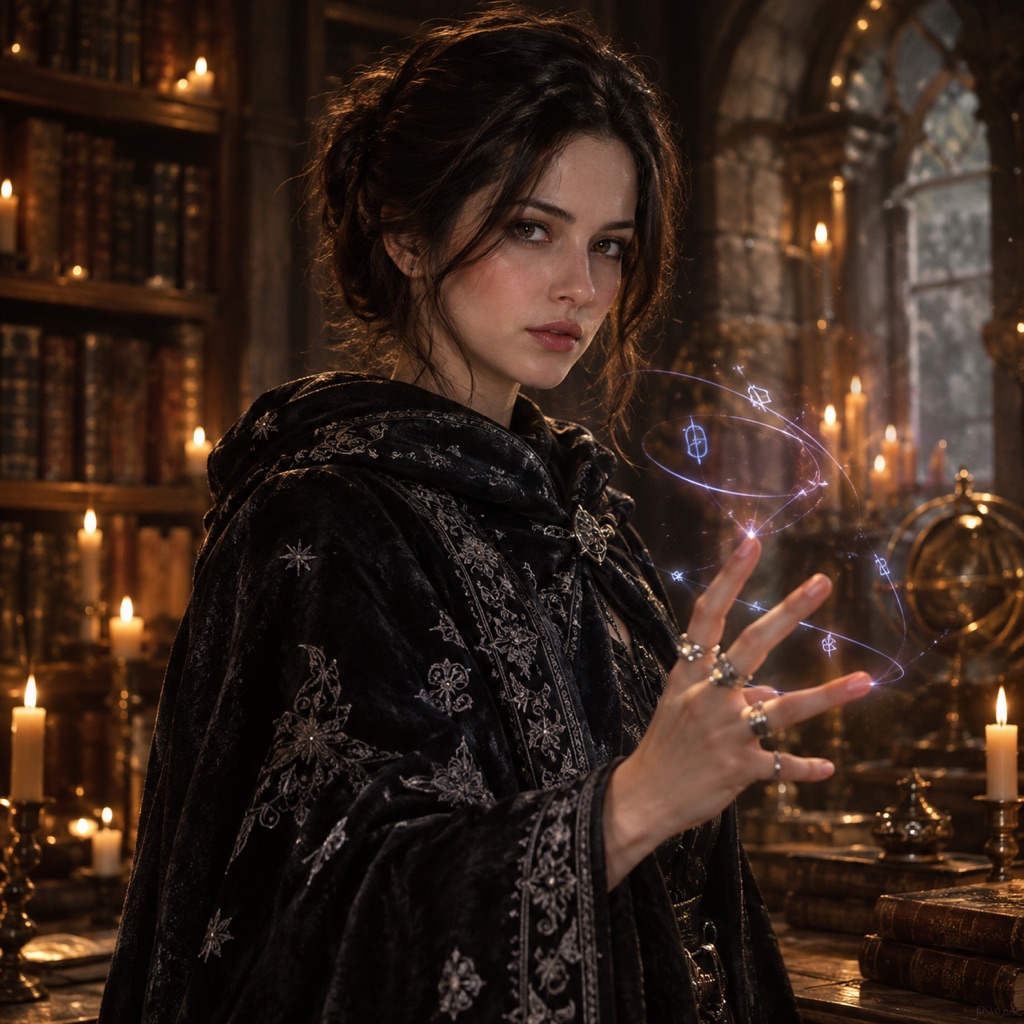 Photo edit
Selfie Sorcerer
A portrait prompt that keeps the selfie recognizable.
Prompt
Use the uploaded photo as the primary reference. Turn the uploaded selfie into a cinematic Halloween sorcerer portrait. Preserve the subject’s recognizable facial identity, facial proportions, skin tone, approximate age, and natural anatomy. Keep the same number of people as the source photo. Avoid altered identity, extra limbs, duplicated fingers, distorted anatomy, text, logos, and watermarks. Add a dark embroidered cloak, subtle silver rings, and faint glowing runes floating around one hand. Keep the face, skin texture, and expression natural and recognizable. Place the subject in a candlelit stone library with drifting dust and warm amber highlights. Use photorealistic editorial photography with realistic textures, natural skin detail, and cinematic lighting.
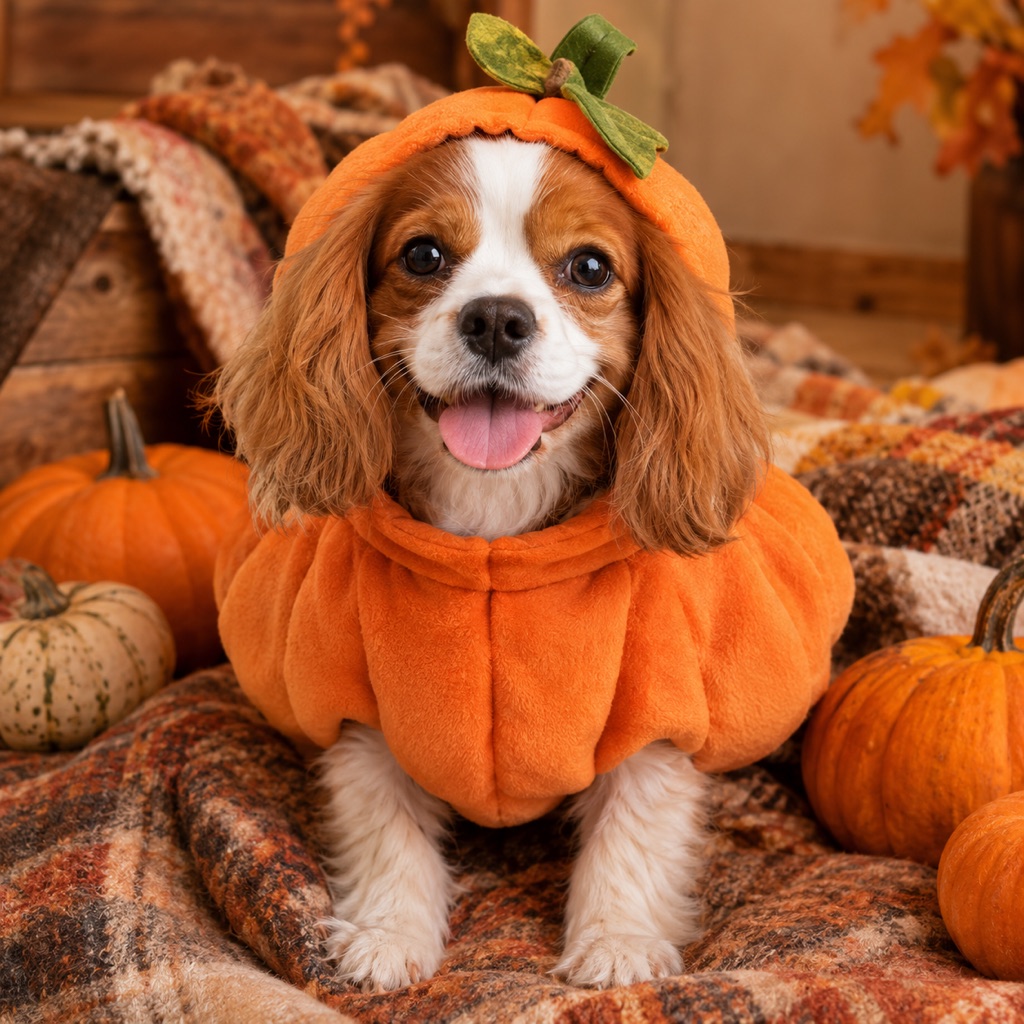 Photo edit
Pumpkin Pet
A cozy pumpkin costume that keeps the pet comfortable.
Prompt
Use the uploaded pet photo as the primary reference. Dress the pet in a soft pumpkin-inspired Halloween costume. Preserve the animal’s breed, fur color, distinctive markings, eye color, facial appearance, and natural anatomy. Keep the costume fitted naturally without covering the eyes or changing the species. Avoid extra animals, unnatural paws, duplicated limbs, text, and watermarks. Add a plush orange pumpkin body with a small green leaf accessory and a comfortable fit that leaves the eyes, ears, and paws free. Place the pet in a cozy autumn studio with warm lighting, miniature pumpkins, and soft blankets. Use photorealistic professional pet photography with realistic fur texture and natural shadows.
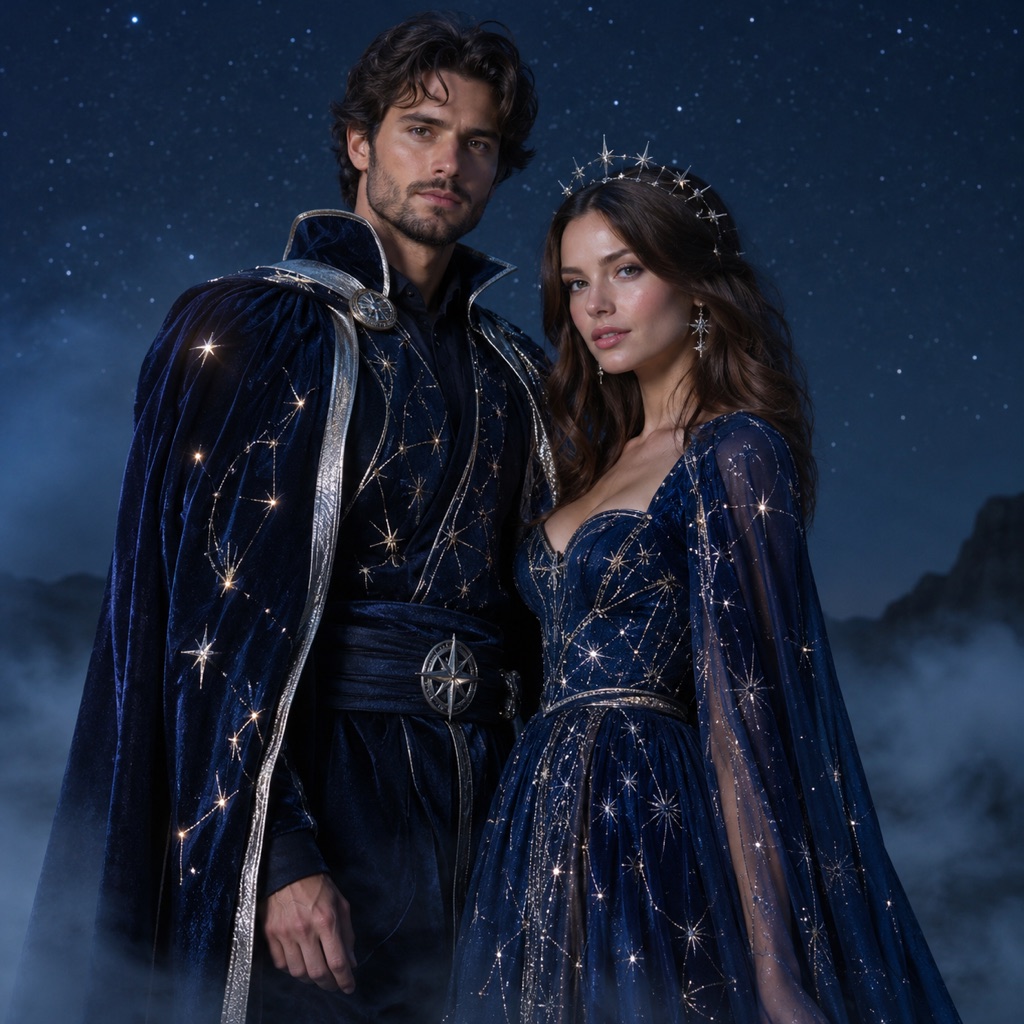 Photo edit
Couple Constellations
Two people, two identities, one coordinated sky.
Prompt
Use both uploaded photos as references. Preserve each person’s recognizable facial identity, skin tone, and body proportions. Keep exactly two people and do not swap faces. Dress both subjects in coordinated midnight-blue and silver celestial Halloween outfits with subtle glowing constellation embroidery. Place them together under a clear night sky with soft starlight and low fog. Use photorealistic editorial photography, natural skin detail, and balanced cinematic lighting. Avoid extra people, altered identities, distorted hands, text, logos, and watermarks.
A selfie prompt should protect the face more than anything else. Use a front-facing photo with even light, and keep the scene simple so the model spends its capacity on the costume rather than the background.
The Selfie Sorcerer prompt is a good template. It adds a dark embroidered cloak, subtle silver rings, and faint glowing runes around one hand, then places the subject in a candlelit stone library. The face stays natural and the expression stays the same. That combination reads as a Halloween portrait rather than a costume render.
If you want a scarier version, change the scene and the light, not the face. A colder palette, a single candle, and a darker background will do more than a heavy prosthetic.
Costume prompts need a strong silhouette and a clear fabric story. Name the garment, the material, and one signature accessory. Then describe how it fits the body. "Velvet gown" is vague. "Fitted black velvet gown with lace sleeves, a high collar, and a silver moon belt" gives the model a shape.
For a couple or a group, add an explicit count: "exactly two people, preserve both faces, do not swap identities." The count is not optional. Without it, models tend to add a third person or merge the references.
The AI Halloween costume generator has a longer costume-specific prompt guide, including the Midnight Braids, Cosmic Princess, and Skeleton Glam examples.
Pet prompts are the most fragile. The model must preserve the animal's breed, fur color, markings, eye color, and anatomy while adding a costume. A costume that covers the eyes or changes the species will look wrong even if the render is technically clean.
Use this rule set:
- Preserve breed, fur color, distinctive markings, eye color, facial appearance, and natural anatomy.
- Keep the costume fitted naturally and away from the eyes and paws.
- Do not change the species.
- Avoid extra animals, unnatural paws, duplicated limbs, text, and watermarks.
The Pumpkin Pet prompt is a safe first attempt because the costume is a simple soft shape. The Halloween pet costume generator has more pet-specific examples, including a glow dinosaur and a stick of butter.
A couple prompt needs two references and one shared scene. The shared scene is what makes the image look coordinated. The outfits can contrast, but the light and the location should match.
Use this structure:
Use both uploaded photos as references. Preserve each person's recognizable facial identity, skin tone, and body proportions. Keep exactly two people and do not swap faces. Dress one person in [look A] and the other in [look B]. Place them together in [shared scene]. Use photorealistic editorial photography and cinematic lighting. Avoid extra people, altered identities, distorted hands, text, logos, and watermarks.
The Couple Constellations prompt uses midnight-blue and silver outfits under a shared night sky. The contrast comes from the two people, not from two different backgrounds.
A video prompt starts with a still. Describe the first frame, then describe the motion. Keep the motion small in the first version: a head turn, a blink, drifting fog, a flickering lantern, or a slow push-in. Large motion is harder to keep consistent, especially around the face and hands.
A reliable structure:
Use the provided image as the exact visual reference and starting composition. Create a continuous five-second clip. [Subject motion]. [Environment motion]. [Camera motion]. Maintain realistic motion, stable anatomy, consistent lighting, and the same identity, costume, and hairstyle. Do not add characters, replace the costume, or introduce sudden cuts. No text or watermarks.
The Halloween AI video generator has three motion prompts you can test after generating a portrait.
Gemini and ChatGPT can generate images directly, but their prompt handling is different from a dedicated image editor. A few practical rules:
- Paste the prompt as one block. Breaking it into a conversation can cause the model to drop the preservation rules.
- Attach the photo first. Say "use the attached photo as the primary reference" in the first sentence.
- Ask for one image. Multiple variations make it harder to judge which instruction failed.
- Do not ask for a specific living actor or a protected character. Keep the request to an original look inspired by a style.
- If the tool cannot accept an image, remove the preservation lines and describe the person's appearance, clothing, and pose instead.
The prompts on this page are intentionally explicit. That makes them longer than the average social media prompt, but it also makes the result more predictable. You can shorten them once you know which parts the model follows reliably.
Before you generate, check these six items:
- Does the prompt say what must not change?
- Does it describe the change in visual details?
- Does it give the subject a specific place?
- Does it name the light direction and color?
- Does it say how many people should appear?
- Does it list the failures to avoid?
If any answer is no, the model will fill the gap with something you did not ask for.
Yes. The prompts are written in plain English and do not depend on a specific model. Attach a photo and paste the prompt as one block. If Gemini cannot accept the photo, remove the reference lines and describe the subject instead.
Yes, with the same caveat. ChatGPT's image tools may rewrite or shorten a long prompt. If the result loses the identity, repeat the preservation rule in a follow-up message.
The structure stays the same, but the wording can be shorter for models that follow instructions well and longer for models that drift. Start with the full prompt, then remove lines that the model consistently respects.
The most common causes are a low-resolution source photo, accessories that cover the face, a busy background, or a prompt that describes a new face instead of preserving the original. Simplify the scene and repeat the preservation rule.
Commercial use depends on your plan, the model or provider terms, your rights in the source photo, and local law. Review the terms of service and the current plan terms before selling or advertising with an output.
No. The same five-part structure works for Christmas, Valentine's Day, birthdays, product photos, and any other portrait edit. Change the transformation and the scene, keep the guardrails.
Copy a prompt from the gallery, open the AI image generator, and test it on one photo. If the result is close, change one line and generate again. Prompt quality is a process, not a single sentence.
