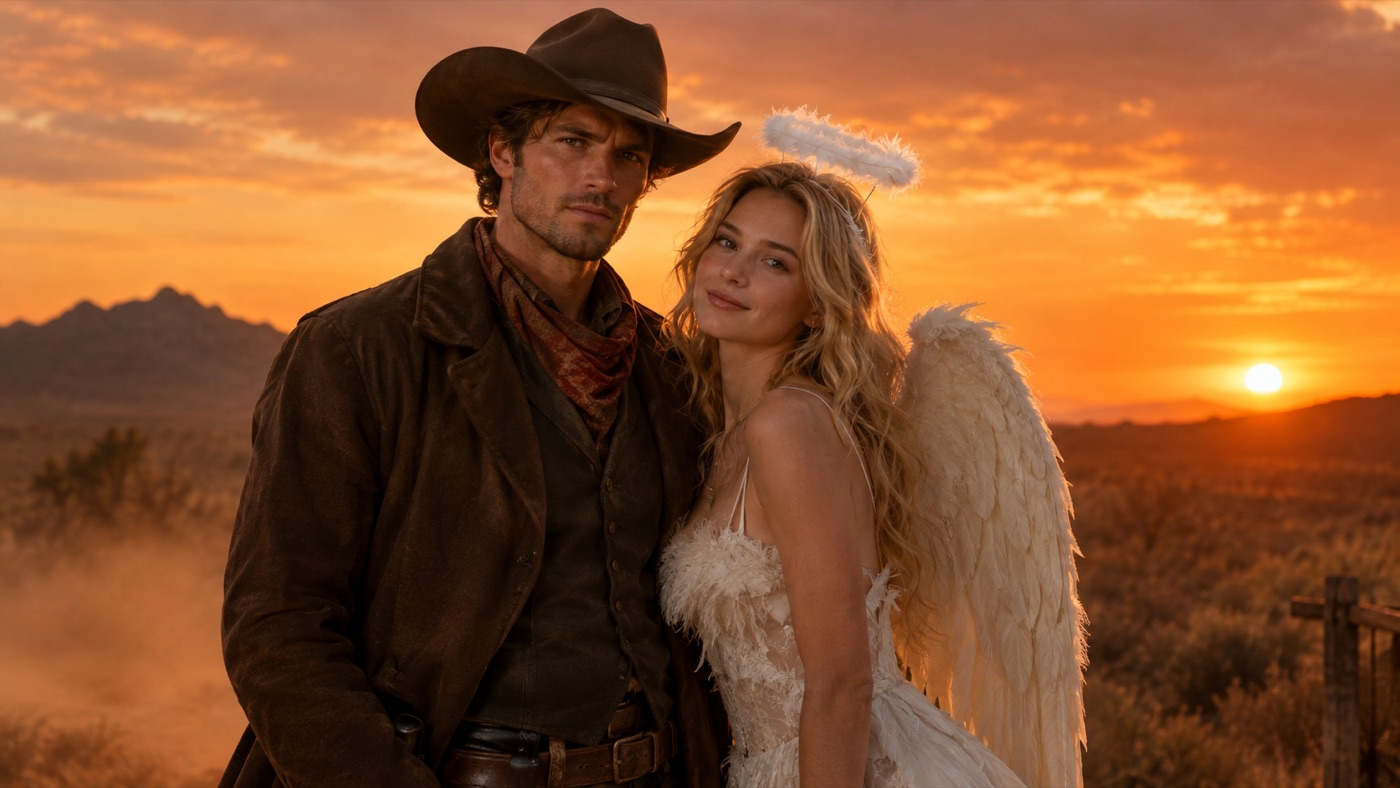
Couple costumes are a coordination problem. Two people, two faces, one shared scene, and a visual relationship between the outfits. Generators fail at exactly this: they blend the two faces, give one person the other's hair, or add a third person to fill the frame.
A Halloween couple costume generator is not just a single-person prompt with two photos attached. It needs an explicit count, two identity-preservation rules, and a scene that gives both people equal weight. The prompts below are built around those constraints.
Most failures come from one of four causes.
The references are unbalanced. One photo is sharp and the other is blurry, or one person is much larger in the frame. The model gives more weight to the stronger reference.
The prompt does not say how many people to keep. Without a count, the model may add a third person, merge the couple into one figure, or duplicate a face.
The outfits are described as one costume. "Matching Halloween costumes" is ambiguous. The model needs to know which person wears which look.
The scene is too busy. A crowded party, a group photo, or a complex background gives the model more faces and bodies to confuse.
The fix is boring but effective: use two clear, similar photos, say "exactly two people", describe each outfit separately, and keep the scene simple.
Each photo should show one person clearly, facing the camera, with even light and a neutral background. Similar framing helps. If one person is photographed from below and the other from above, the model has to reconcile two different body proportions.
Avoid using a couple photo as both the source and the scene reference. A single group photo gives the model less information about each face and more opportunities to swap identities.
The first line of the prompt should establish the count. "Use both uploaded photos as references. Keep exactly two people. Do not swap faces." Repeat the count in the scene description if the pose is complex.
Name the look for person A and the look for person B. A coordinated couple does not need identical outfits. Contrast is often stronger: cowboy and angel, sun and moon, structured tailoring and flowing fabric, dark and light.
The scene is what makes the image look like a couple photo rather than two portraits composited together. Choose one location, one time of day, and one lighting direction. A warm desert evening, a candlelit observatory, or a walled garden at dusk all give both people the same light.
Zoom in on both faces, especially the eyes and jawlines. Check the hands where the two people meet or overlap. If a face has drifted, start again from the original references rather than editing the composite.
Signature looks you can generate now
Pick a look, copy the exact prompt, or send it straight into the generator. Prompts are written for identity preservation, so the result still looks like the person or pet in the photo.
Opens the generator with this prompt. You’ll sign in; images start at 5 credits.
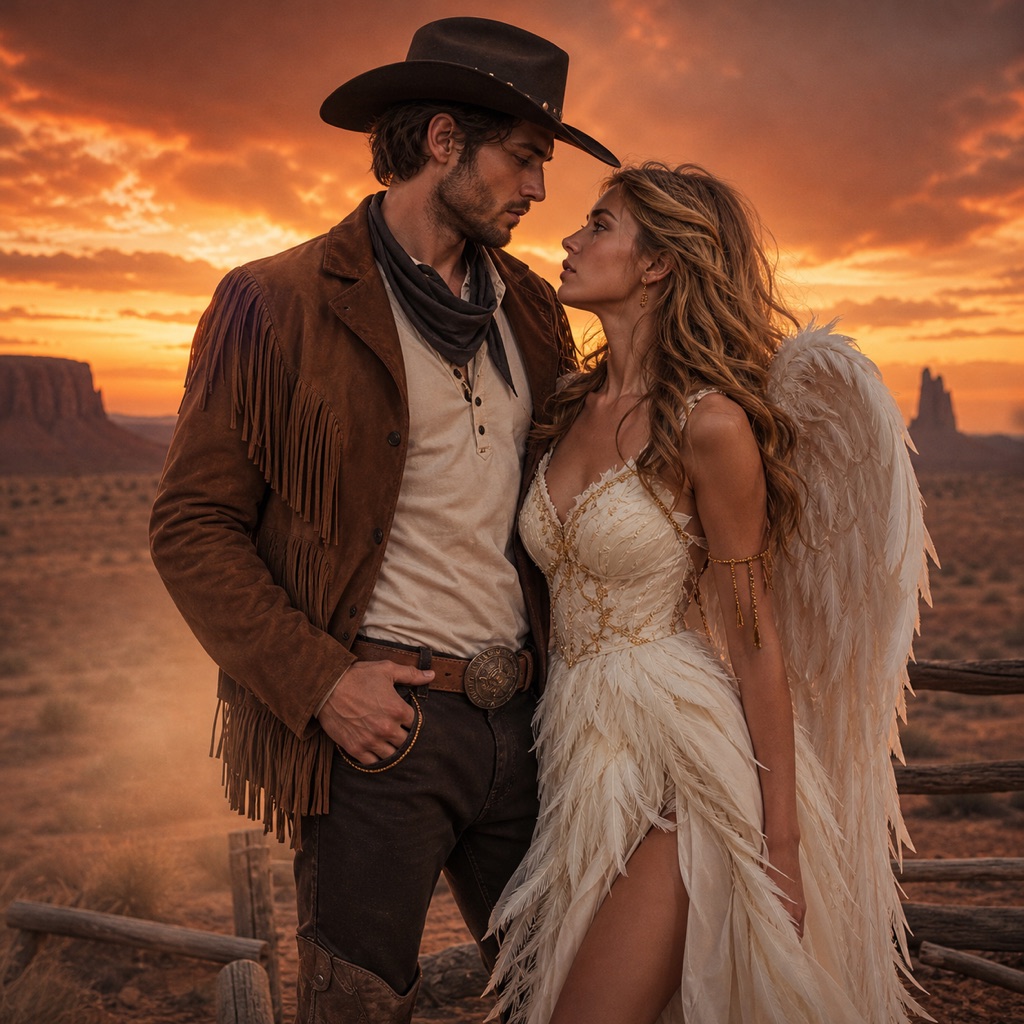 Photo edit
Cowboys & Angels
One coordinated couple look with two distinct identities.
Prompt
Use both uploaded photos as references. Preserve each person’s recognizable facial identity, skin tone, and body proportions. Keep exactly two people and do not swap faces. Dress one person in a refined western cowboy look with a hat, suede jacket, and boots, and the other in a soft feathered angel look with ivory layers and subtle gold accents. Place them together in a warm desert evening with a deep orange sky and soft dust in the air. Use photorealistic editorial photography, natural skin detail, and cinematic lighting. Avoid extra people, altered identities, distorted hands, text, logos, and watermarks.
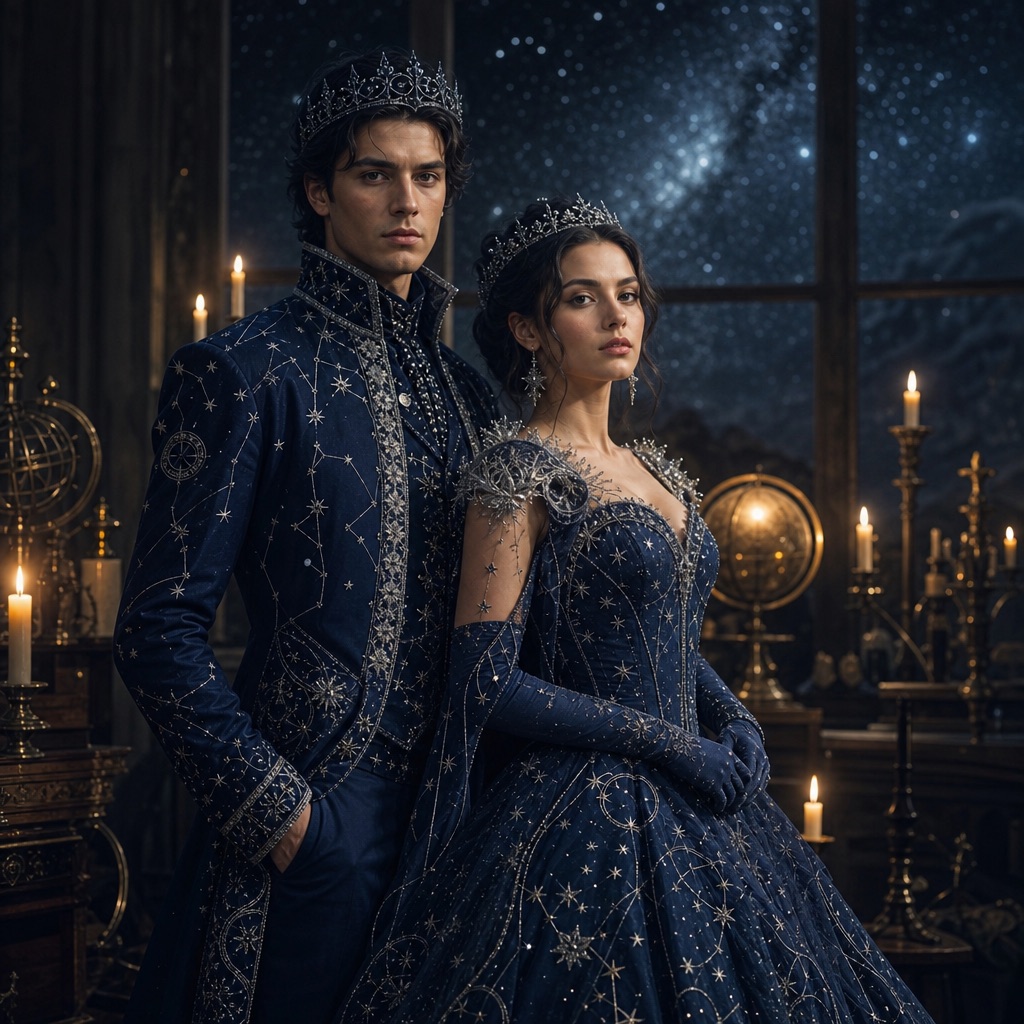 Photo edit
Cosmic Royals
A midnight-blue couple look with matching crowns.
Prompt
Use both uploaded photos as references. Preserve each person’s recognizable facial identity, skin tone, and body proportions. Keep exactly two people and do not swap faces. Dress both subjects in coordinated midnight-blue royal Halloween outfits with silver embroidery, constellation patterns, and delicate crowns. Place them in a candlelit observatory with a starry sky visible through a tall window. Use photorealistic editorial photography, realistic fabric texture, and cinematic rim lighting. Avoid extra people, altered identities, distorted anatomy, text, logos, and watermarks.
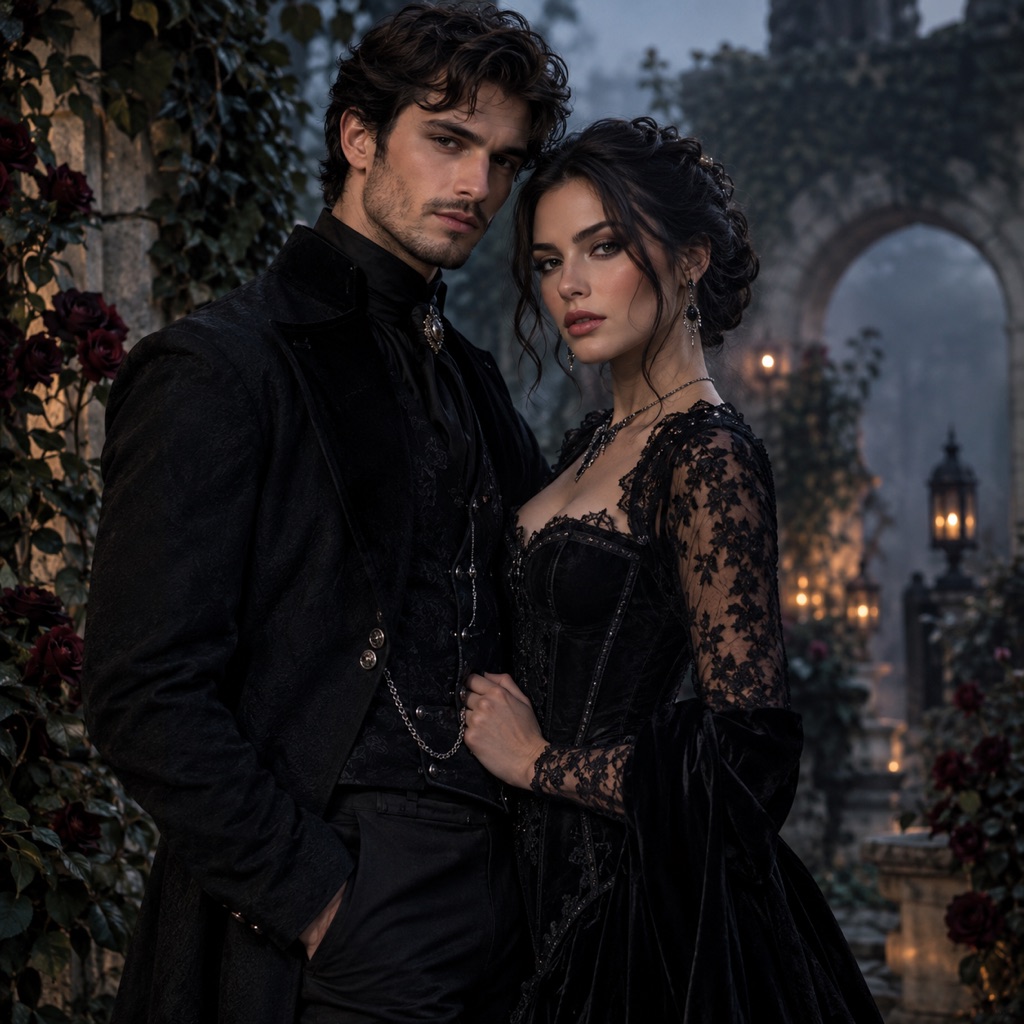 Photo edit
Gothic Garden
Romantic gothic tailoring, not a costume party.
Prompt
Use both uploaded photos as references. Preserve each person’s recognizable facial identity, skin tone, and body proportions. Keep exactly two people and do not swap faces. Dress both subjects in elegant black gothic tailoring with lace, velvet, and subtle silver details. Place them in a walled garden at dusk with dark roses, ivy, stone arches, and soft fog. Use photorealistic editorial fashion photography, natural skin detail, and moody cinematic lighting. Avoid extra people, altered identities, distorted hands, text, logos, and watermarks.
Cowboys & Angels is the clearest contrast look. One structured western outfit, one soft feathered outfit, and a warm desert scene. The difference in texture does most of the work.
Cosmic Royals is the coordinated look. Both outfits share a midnight-blue and silver palette, but the silhouettes can differ. A candlelit observatory gives the constellation details a dark background.
Gothic Garden is the editorial look. Black tailoring, lace, velvet, and a walled garden at dusk. It is less costume-like and more fashion-forward, which makes it a better fit for a portrait you might actually print.
If you want a group rather than a couple, the same rules apply with a higher count. Say "exactly three people" or "exactly four people" and describe each outfit. The more people, the more important the count becomes.
Use this structure:
Use both uploaded photos as references. Preserve each person's recognizable facial identity, skin tone, body proportions, and natural anatomy. Keep exactly two people and do not swap faces. Dress one person in [look A] and the other in [look B]. Place them together in [shared scene]. Use photorealistic editorial photography, natural skin detail, and [lighting direction]. Avoid extra people, altered identities, distorted hands, duplicated limbs, text, logos, and watermarks.
The template is long because the failure modes are specific. Shortening it is fine once you know which constraints the model follows.
A coordinated couple photo works when the two looks share one or two visual signals. A palette, a fabric, a silhouette, or a story. Everything else can contrast.
- Shared palette: midnight blue and silver for both, with different garment shapes.
- Shared texture: velvet for one, feathers for the other.
- Shared story: cowboy and angel, sun and moon, hunter and supernatural.
- Shared light: the same warm key light and cold rim light on both faces.
If everything matches, the photo can look like a uniform. If nothing matches, it looks like two separate photos. One shared signal is the sweet spot.
A still portrait is enough for a card, an invitation, or a post. If you want motion, animate the finished image with a small head turn or a slow push-in. Keep the motion subtle so both faces stay consistent. The Halloween AI video generator explains the workflow.
For a family or group photo, generate the couple first, then add the additional people in a second pass. Building a group one step at a time is easier to control than asking a model to invent four identities at once.
Yes, and two separate photos usually work better. Each photo gives the model a clear view of one face. Use similar framing and lighting for both.
The model may be treating the two references as style references rather than identity references. Repeat "preserve each person's identity" and "do not swap faces", and keep the prompt's order consistent with the photos.
Yes, but the result is less predictable. A group photo gives the model less detail per face and more people to confuse. Two individual photos are the safer input.
Yes. Generate the pet portrait and the human portrait with the same palette and lighting, or use a prompt that explicitly includes one person and one pet. State the count for both.
Yes. Use one clear photo per person and state the exact number of people. Build the group in stages if the model struggles with many faces.
Commercial use depends on your plan, the model or provider terms, your rights in the source photos, and local law. Review the terms of service before using an output in an ad or a product.
Upload two clear photos, choose a shared scene, and start with the Cowboys & Angels prompt. One shared palette is enough to make two looks feel like one couple.
