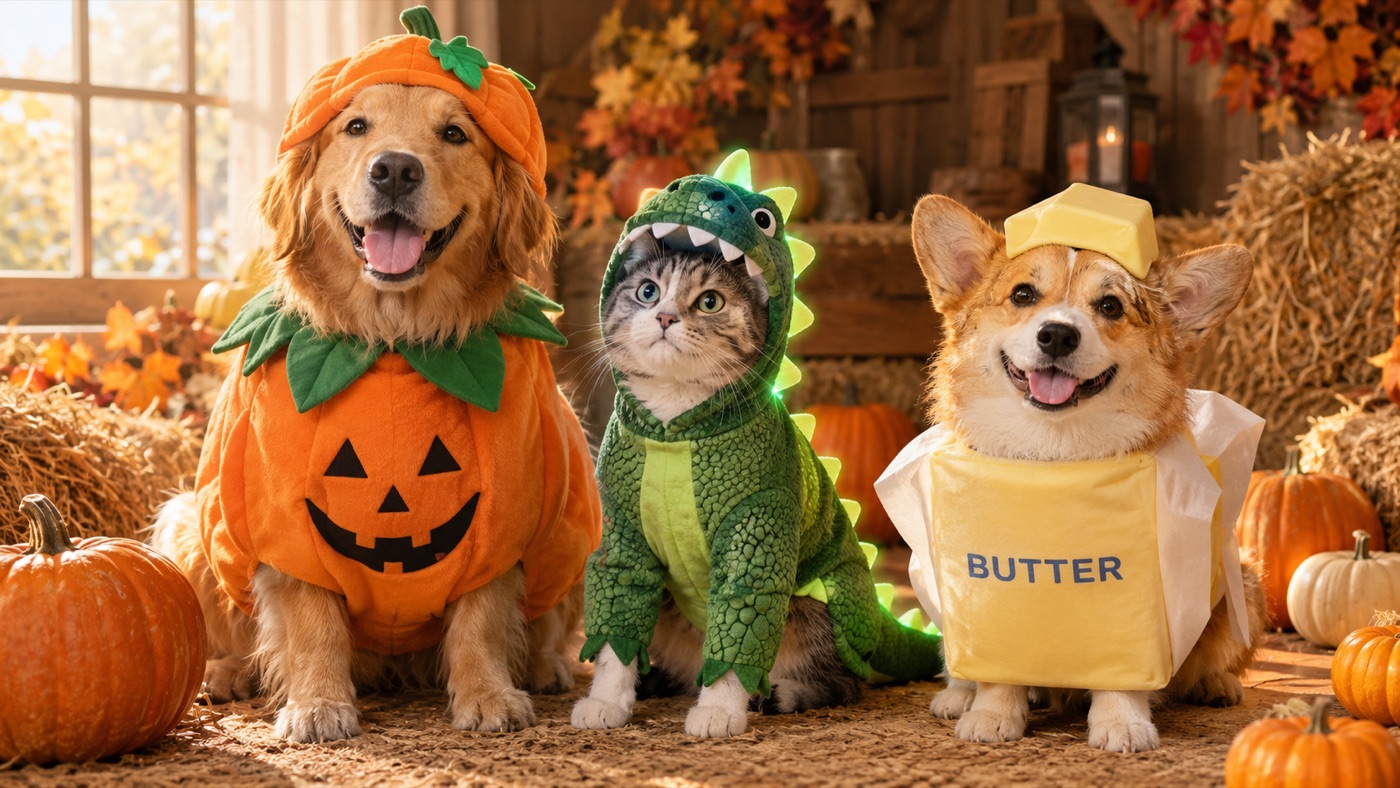
Pet Halloween photos are their own genre. The costume does not need to be scary, expensive, or even realistic. It needs to be funny, cute, and clearly worn by your pet — not a different animal with your pet's color.
A Halloween pet costume generator has a harder job than a human costume generator. It has to preserve the animal's breed, fur pattern, eye color, face shape, and body proportions while adding an outfit that fits a four-legged body. A generic "dog in a pumpkin costume" prompt will often change the breed, add a second animal, or produce a costume that floats above the fur.
The prompts on this page are written around pet-specific constraints. They keep the animal recognizable and treat the costume as a real object that has to sit on a real body.
Four things separate a believable pet portrait from a cartoon:
The face stays the same. Eyes, nose, muzzle, ears, and expression should match the source photo. If the face changes, the image stops being your pet.
The fur keeps its pattern. Spots, stripes, patches, and color gradients are identity markers. The model should preserve them even when the costume covers part of the body.
The costume fits the anatomy. A costume designed for a human has arms and a waist. A pet costume has a back, a chest, four legs, and a tail. The fit has to make sense.
The eyes and paws stay free. A costume that covers the eyes looks like a plush toy, not a pet. A costume that swallows the paws looks uncomfortable. The best pet costumes leave the face and feet visible.
A photo where your pet is facing the camera, with the whole head visible and the body at least partly in frame, gives the model the most information. Avoid photos where the pet is a small part of a busy scene. A plain background helps the costume stand out.
"Pet" is too vague. Say "golden retriever", "small black cat", or "corgi". If you do not know the breed, describe the size, coat length, and color. The model needs a body plan.
Instead of "pumpkin costume", say "a soft plush pumpkin body with a small green leaf collar, fitted around the chest and back, leaving the eyes, ears, and paws free." That tells the model how the costume sits on the body.
A warm autumn studio with a few miniature pumpkins is enough. A busy scene competes with the costume and makes the edit harder to judge. If you want a dramatic look, change the lighting rather than adding props.
Zoom in before you post. The most common failures are a missing paw, an extra leg, a tail that merges into the costume, or eyes that changed color. Regenerate with a simpler costume if the anatomy is unstable.
Signature looks you can generate now
Pick a look, copy the exact prompt, or send it straight into the generator. Prompts are written for identity preservation, so the result still looks like the person or pet in the photo.
Opens the generator with this prompt. You’ll sign in; images start at 5 credits.
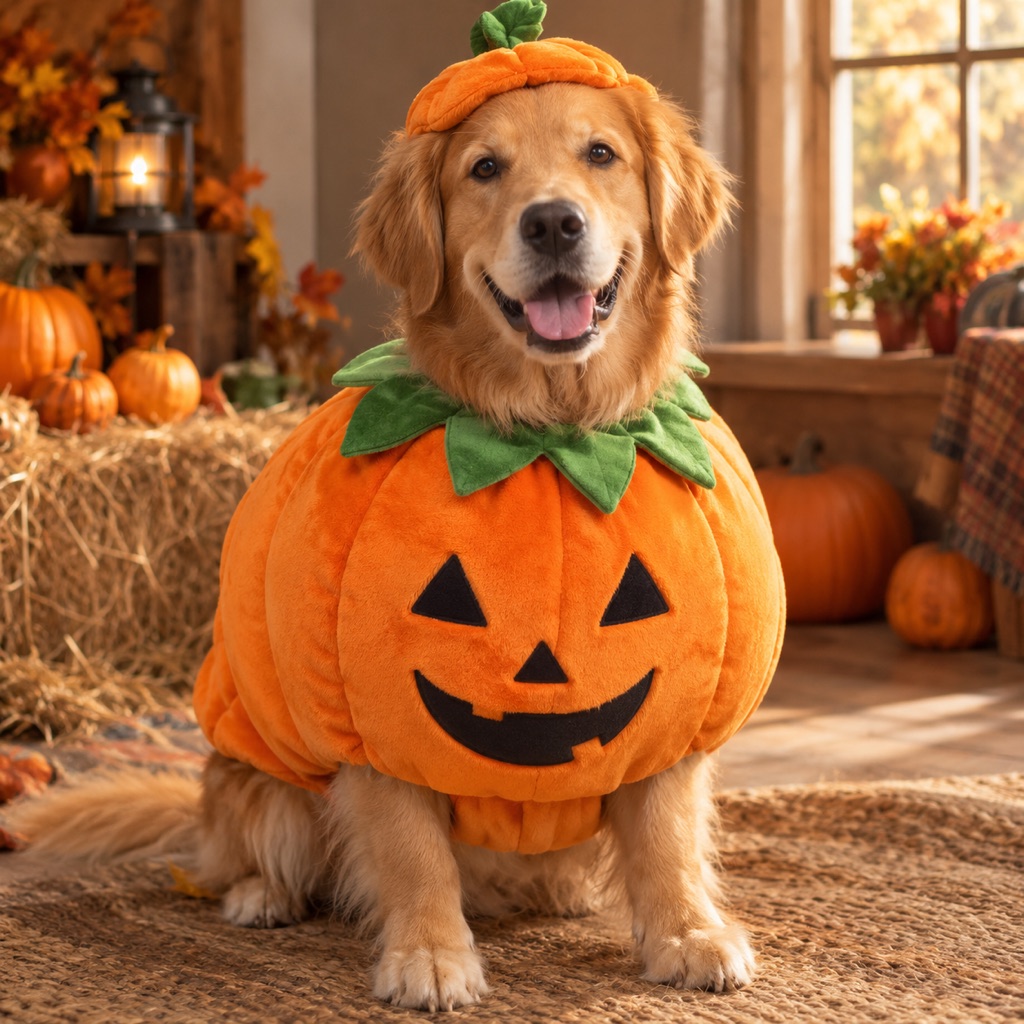 Photo edit
Pumpkin Pup
A soft pumpkin costume with a leaf collar.
Prompt
Use the uploaded pet photo as the primary reference. Dress the pet in a plush pumpkin Halloween costume. Preserve the animal’s breed, fur color, distinctive markings, eye color, facial appearance, and natural anatomy. Keep the costume fitted naturally without covering the eyes or changing the species. Avoid extra animals, unnatural paws, duplicated limbs, text, and watermarks. Add a rounded orange pumpkin body with a small green leaf collar and a comfortable fit that leaves the eyes, ears, and paws free. Place the pet in a warm autumn studio with miniature pumpkins, hay, and soft window light. Use photorealistic professional pet photography with realistic fur texture and natural shadows.
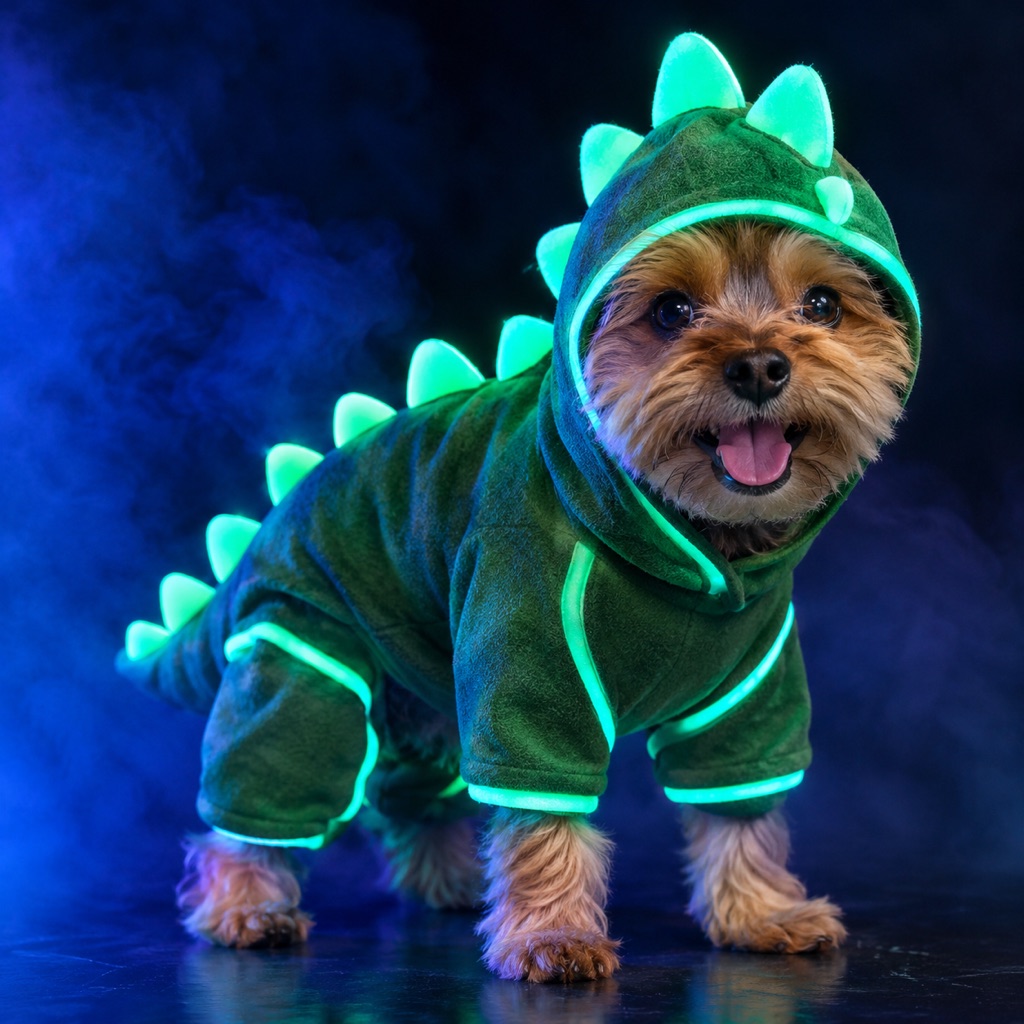 Photo edit
Glow Dino Pet
A neon dinosaur costume built for four legs.
Prompt
Use the uploaded pet photo as the primary reference. Dress the pet in a playful glow-in-the-dark dinosaur costume. Preserve the animal’s breed, fur color, distinctive markings, eye color, facial appearance, and natural anatomy. Keep the costume fitted naturally without covering the eyes or changing the species. Avoid extra animals, unnatural paws, duplicated limbs, text, and watermarks. Add soft rounded spikes along the back, matte green fabric, and green-blue neon piping that glows under black light. The costume must fit naturally and leave the face and paws free. Use a dark studio with a gentle black-light glow, soft fog, and a playful pet portrait mood. Use photorealistic professional pet photography with realistic fur texture and natural shadows.
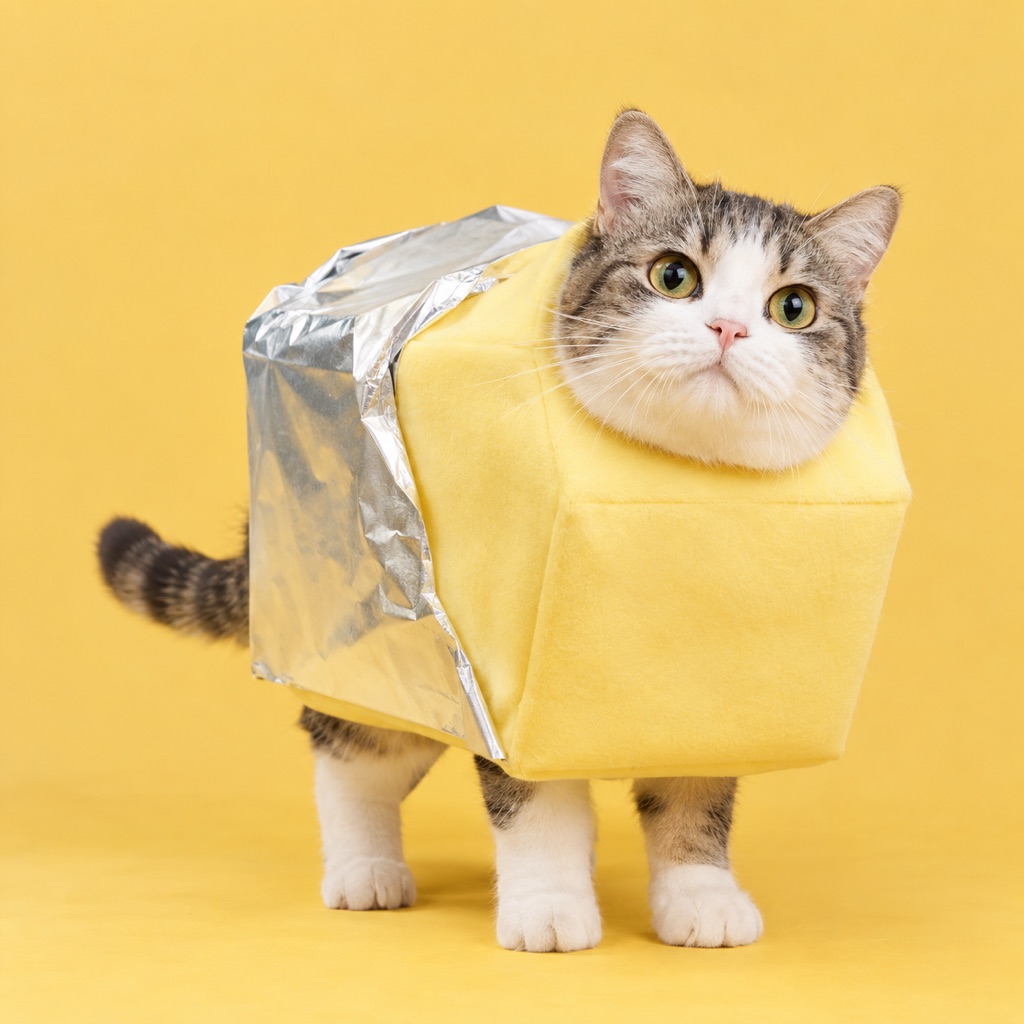 Photo edit
Butter Stick
The internet’s favorite absurd costume, pet-sized.
Prompt
Use the uploaded pet photo as the primary reference. Dress the pet in a humorous stick-of-butter costume. Preserve the animal’s breed, fur color, distinctive markings, eye color, facial appearance, and natural anatomy. Keep the costume fitted naturally without covering the eyes or changing the species. Avoid extra animals, unnatural paws, duplicated limbs, text, and watermarks. Create a soft rectangular butter costume in pale yellow with a silver foil wrapper detail that sits comfortably around the body without covering the face or paws. Use a clean, bright studio with a warm yellow backdrop and a playful editorial pet portrait look. Use photorealistic professional pet photography with realistic fur texture and natural shadows.
Pumpkin Pup is the safest first costume. The shape is simple, the color is warm, and the leaf collar gives the model one clear detail. It works on dogs, cats, and small pets.
Glow Dino Pet is a playful option for dark, high-contrast photos. The neon piping gives the image a strong accent without changing the animal's face. It is a good choice for a social post that needs to stand out in a feed.
Butter Stick is the absurd option, and absurd works well on the internet. The costume is a simple rectangular shape in pale yellow with a silver foil detail. It reads instantly, even at thumbnail size.
If you want a portrait rather than a costume, the AI pet portrait generator covers royal oil painting, cyberpunk, and studio headshot styles.
Use this structure for any pet:
Use the uploaded pet photo as the primary reference. Preserve the animal's breed, fur color, distinctive markings, eye color, facial appearance, and natural anatomy. Dress the pet in [costume description]. Keep the costume fitted naturally without covering the eyes, ears, or paws, and do not change the species. Place the pet in [scene]. Use photorealistic professional pet photography with realistic fur texture and natural shadows. Avoid extra animals, unnatural paws, duplicated limbs, text, logos, and watermarks.
The species line is important. Without it, a model may turn a small dog into a puppy of a different breed or add a second animal to fill the frame.
A generated costume is an image, not a product. It is useful for a card, a social post, a profile photo, or a moodboard. If you want to dress your pet for real, use the image as a reference and choose a costume that does not restrict movement, vision, or breathing.
Safety matters more than the joke. A real pet costume should be lightweight, leave the face free, and be introduced gradually. The generated image can be as absurd as you like; the physical costume should be comfortable.
A still portrait is enough for most posts. If you want motion, animate the portrait with a small head tilt or a tail wag. Keep the motion subtle so the costume and fur stay consistent. The Halloween AI video generator explains the image-to-video workflow.
For a coordinated owner-and-pet photo, generate the pet portrait first, then use the same palette and scene for the human portrait. Matching light is more convincing than matching costumes.
Yes. The same rules apply: preserve the breed, fur pattern, eye color, and anatomy, and keep the costume away from the eyes and paws. Cats often look better in simple shapes than in elaborate outfits.
The prompt probably described the costume more than the animal. Put the preservation rule first, name the breed or describe the body type, and keep the scene simple.
Yes, but say "exactly two pets" and describe both. Without a count, models tend to add a third animal. Two references are better than one group photo.
Yes. Animate a finished portrait with a small head tilt, ear movement, or tail wag. Large motion is harder to keep consistent on fur and costume edges.
No. The generator creates an image, not a physical costume. Use the image as a style reference if you want to shop for a real costume.
Commercial use depends on your plan, the model or provider terms, your rights in the source photo, and local law. Review the terms of service before using an output in an ad or a product.
Open the AI image generator, upload a clear pet photo, and start with the Pumpkin Pup prompt. Keep the costume simple and the face visible.
