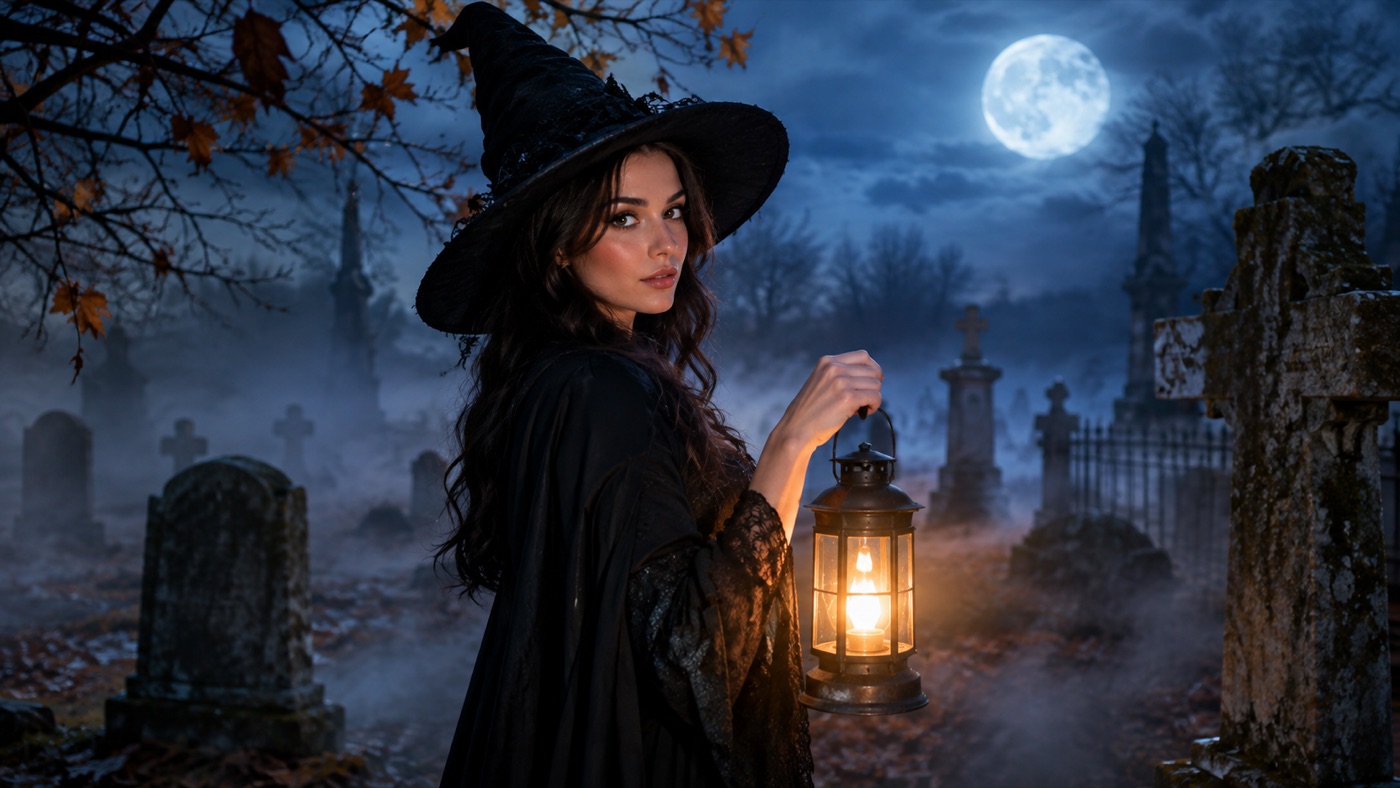
Not every Halloween photo needs a costume. Sometimes the photo is already good: the expression works, the light is soft, and the framing is right. What is missing is atmosphere. A plain portrait becomes a Halloween image when the light changes, the background changes, and the color grade changes — without turning the person into someone else.
A Halloween AI photo editor is the tool for that job. It is different from a costume generator. The costume generator replaces the outfit and hair. The photo editor keeps the person and the clothing, then changes the scene around them: fog, practical lights, stone walls, autumn branches, and a grade that feels like a film still.
Halloween atmosphere is a small set of visual signals. You do not need blood, monsters, or a full costume to communicate it.
- Directional light. A single warm lantern against a cold blue night reads as Halloween immediately. Flat studio light does not.
- Low fog. Fog separates the subject from the background and hides the edges where a replacement would look fake.
- A cold-to-warm palette. Blue shadows and amber highlights are the classic horror-movie contrast.
- Texture. Dried leaves, weathered stone, old wood, and slight film grain make the scene feel photographed rather than rendered.
- A believable shadow. The subject needs to cast a shadow that matches the new light source.
The prompts in the gallery below are written around those five signals. They keep the subject and clothing intact and change only the atmosphere.
Signature looks you can generate now
Pick a look, copy the exact prompt, or send it straight into the generator. Prompts are written for identity preservation, so the result still looks like the person or pet in the photo.
Opens the generator with this prompt. You’ll sign in; images start at 5 credits.
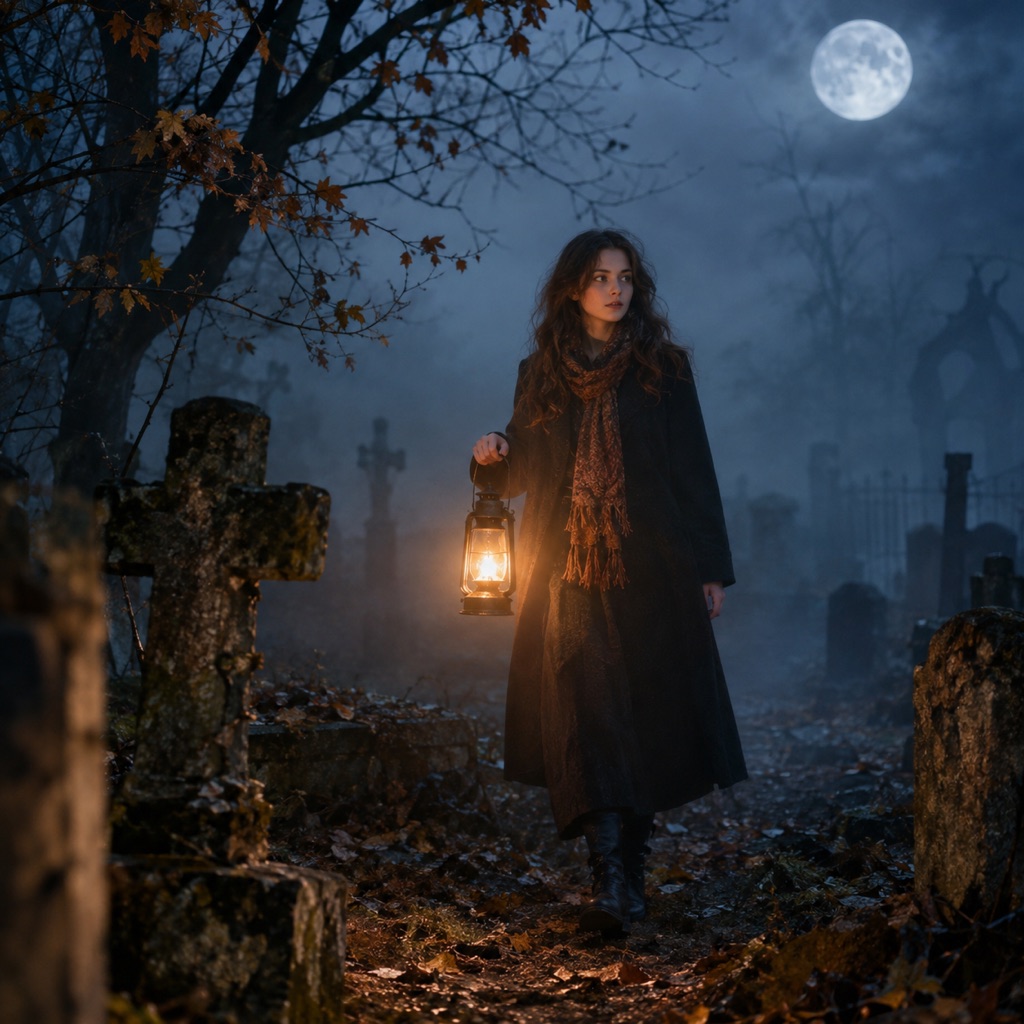 Photo edit
Foggy Graveyard
Lift a plain portrait into a foggy cinematic scene.
Prompt
Use the uploaded photo as the primary reference. Keep the subject exactly as photographed and relight the portrait as a cinematic Halloween scene. Preserve the subject’s recognizable facial identity, facial proportions, skin tone, approximate age, and natural anatomy. Keep the same number of people as the source photo. Avoid altered identity, extra limbs, duplicated fingers, distorted anatomy, text, logos, and watermarks. Add drifting low fog, weathered stone markers, bare autumn branches, and a warm handheld lantern glow. Keep the clothing unchanged and the face fully visible. Use a cold blue night sky with warm lantern accents, shallow depth of field, and realistic atmospheric haze. Use photorealistic editorial photography with realistic textures, natural skin detail, and cinematic lighting.
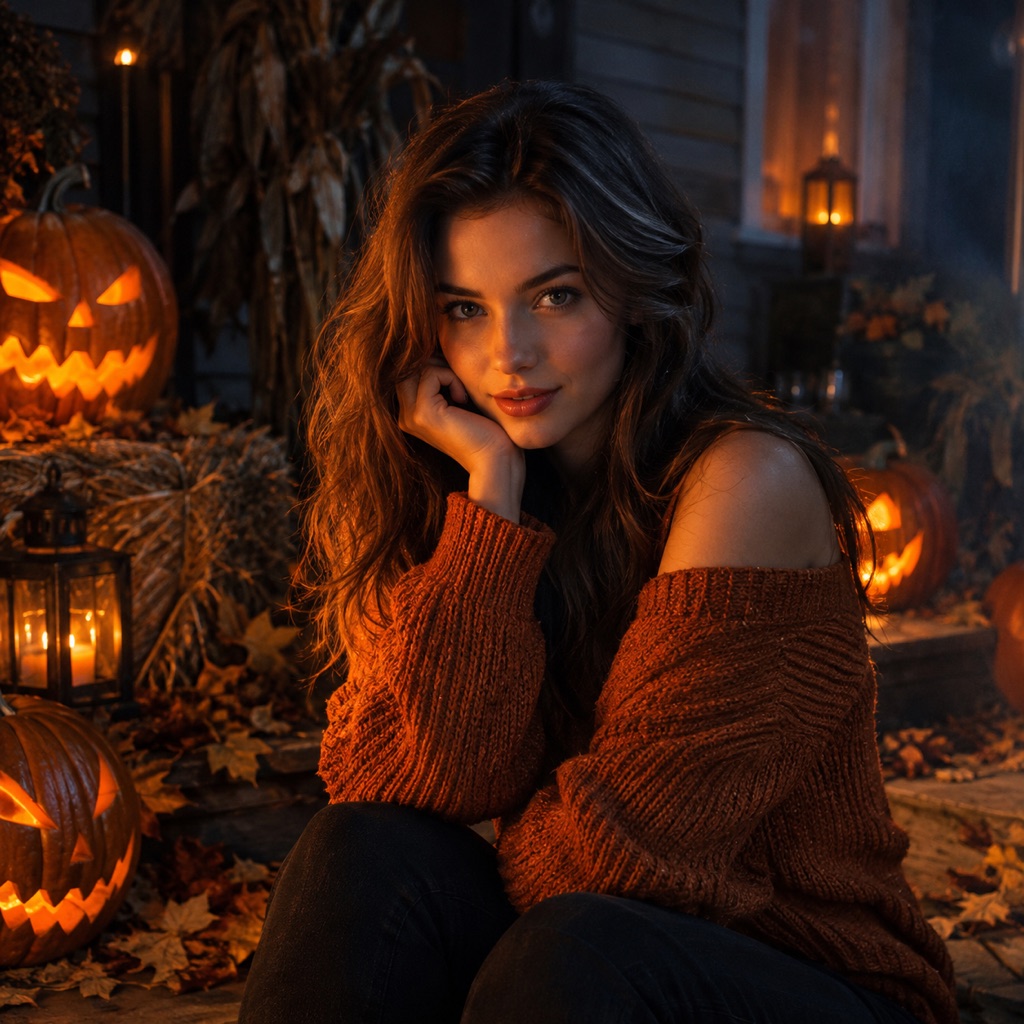 Photo edit
Pumpkin Relight
Warm pumpkin light without changing the face.
Prompt
Use the uploaded photo as the primary reference. Keep the subject and outfit unchanged and relight the photo with carved pumpkin light. Preserve the subject’s recognizable facial identity, facial proportions, skin tone, approximate age, and natural anatomy. Keep the same number of people as the source photo. Avoid altered identity, extra limbs, duplicated fingers, distorted anatomy, text, logos, and watermarks. Place carved pumpkins around the subject and let warm orange light flicker across one side of the face. Keep the other side in soft cool shadow. Use a dark autumn porch with hay bales, dried leaves, and a subtle haze. The result should look like a real photograph, not a cartoon. Use photorealistic editorial photography with realistic textures, natural skin detail, and cinematic lighting.
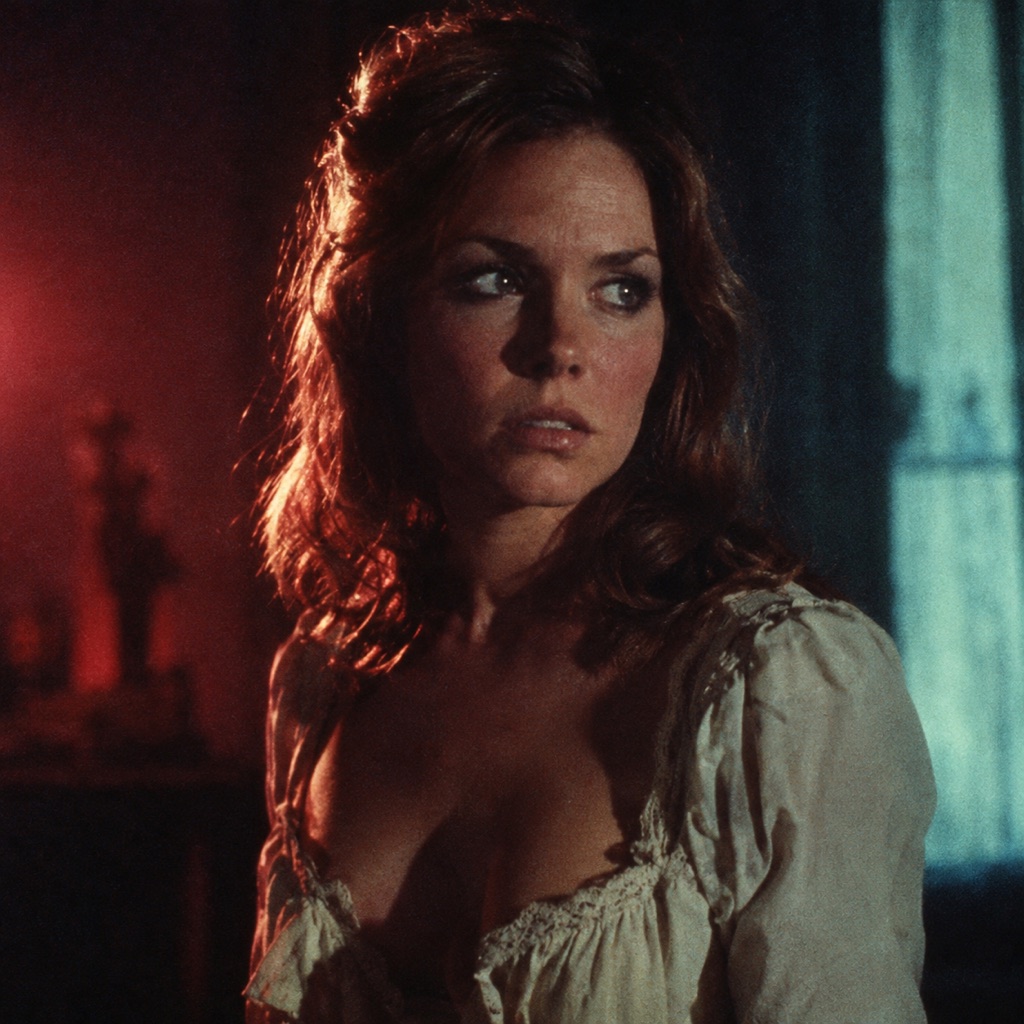 Photo edit
Vintage Horror Film
A 1970s horror poster grade, minus the grain mush.
Prompt
Use the uploaded photo as the primary reference. Regrade the uploaded portrait as a restored 1970s horror film still. Preserve the subject’s recognizable facial identity, facial proportions, skin tone, approximate age, and natural anatomy. Keep the same number of people as the source photo. Avoid altered identity, extra limbs, duplicated fingers, distorted anatomy, text, logos, and watermarks. Use deep shadows, muted crimson and teal tones, soft halation around highlights, and a subtle film grain that keeps facial detail sharp. Do not add a poster title or any text. Keep the original pose and clothing. The final image should feel like a frame from a remastered genre film. Use photorealistic editorial photography with realistic textures, natural skin detail, and cinematic lighting.
A sharp, evenly lit portrait is the best starting point. A photo with strong existing shadows can work too, but the new light has to agree with them. If the original photo is heavily filtered, the model has less real skin texture to work with, and the result can look plastic.
For a full scene change, a waist-up or three-quarter photo gives the model enough background to replace. A tight face crop limits the scene, so choose a portrait-style grade instead.
Write the preservation rule first. At minimum: face, skin tone, body proportions, clothing, pose, and the number of people. If the photo has a recognizable hairstyle, include it. If the clothing matters, say so explicitly. The model will change anything you leave ambiguous.
Light is the part that sells the edit. "Foggy graveyard" is a location. "Warm lantern light from the lower left, cold blue moonlight from behind, soft fog catching the light" is a photograph. Describe where the light comes from, what color it is, and what it does to the face.
A vintage horror grade works when the skin still looks like skin. Ask for deep shadows, muted crimson and teal, soft halation, and a subtle grain that keeps facial detail sharp. Avoid "heavy grain" or "extreme contrast" unless you want the face to disappear.
Zoom in on the eyes, the hairline, the hands, and the edge of the clothing. If the background replacement has eaten part of a shoulder or added a second shadow, regenerate with a simpler scene. A clean portrait with one light source usually beats a busy scene with five objects.
Foggy Graveyard is the safest scene replacement. The fog does most of the work: it hides the background transition, adds depth, and gives the warm lantern something to illuminate. It works on almost any waist-up portrait.
Pumpkin Relight is a lighting edit rather than a location edit. Carved pumpkins around the subject provide a motivated warm source. The cool shadow on the other side keeps the face from turning orange. This is a good choice when you want a Halloween image but still need the person to look natural.
Vintage Horror Film is the most stylized option. It changes the grade, not the scene, so it preserves the original composition. Use it when the photo already has a strong pose or expression and you only want the mood to change.
Use this structure for any portrait:
Keep the subject exactly as photographed. Preserve facial identity, skin tone, body proportions, clothing, pose, and the number of people. Relight the portrait with [light source and direction]. Add [scene elements] at a believable distance. Use [palette], [contrast], and [film or photography style]. Keep the face fully visible. Avoid altered identity, extra limbs, distorted hands, text, logos, and watermarks.
The template is intentionally repetitive. Repetition is how you keep a generative edit from drifting.
A still image is enough for a post, a profile photo, or a party invite. If you want motion, animate the edited portrait instead of starting from a text prompt. A slow head turn, drifting fog, or a flickering lantern gives the image a second life without changing the face. The Halloween AI video generator is built for that handoff.
If you want a full costume instead of an atmosphere edit, start with the AI Halloween costume generator. If you want prompts you can paste into another tool, the Halloween AI prompts page has a copy-ready set for selfies, pets, and couples.
The editor runs on the same hosted image workspace as the rest of the site. Each generation uses credits, and the current plans are listed on the pricing page. There is no separate subscription for Halloween.
Results depend on the source photo, the selected model, and the prompt. A model cannot recover detail that is not in the original image. If the source is blurry, the edit will be soft. If the source has a strong filter, the skin texture may look artificial. Start with the best photo you have, keep the prompt specific, and judge the result at full size before you post it.
Yes. You can use a text-to-image prompt to create a scene from scratch, or edit a photo that does not show a face. The identity-preservation prompts are only needed when you want a specific person to remain recognizable.
Only if you ask it to. The prompts on this page explicitly preserve clothing. If you want a costume change, use the costume generator or add a clothing instruction to the prompt.
Yes. Fog is one of the easiest edits because it is soft and atmospheric. Describe where the fog sits, how thick it is, and what light passes through it.
Yes. Ask for a restored 1970s horror film still with deep shadows, muted crimson and teal, soft halation, and subtle grain. Keep the instruction "preserve facial detail" so the grade does not destroy the face.
Yes, if the photo is sharp and reasonably lit. Phone portraits are often good enough. Avoid screenshots, heavy beauty filters, and photos where the face is smaller than a thumbnail.
That depends on your plan, the model or provider terms, your rights in the source photo, and local law. Review the terms of service and the current plan terms before publishing.
Open the AI image generator, choose the photo-edit mode, and start with the Foggy Graveyard prompt. One strong light source and one scene element are usually enough.
